
 By Wafa Ali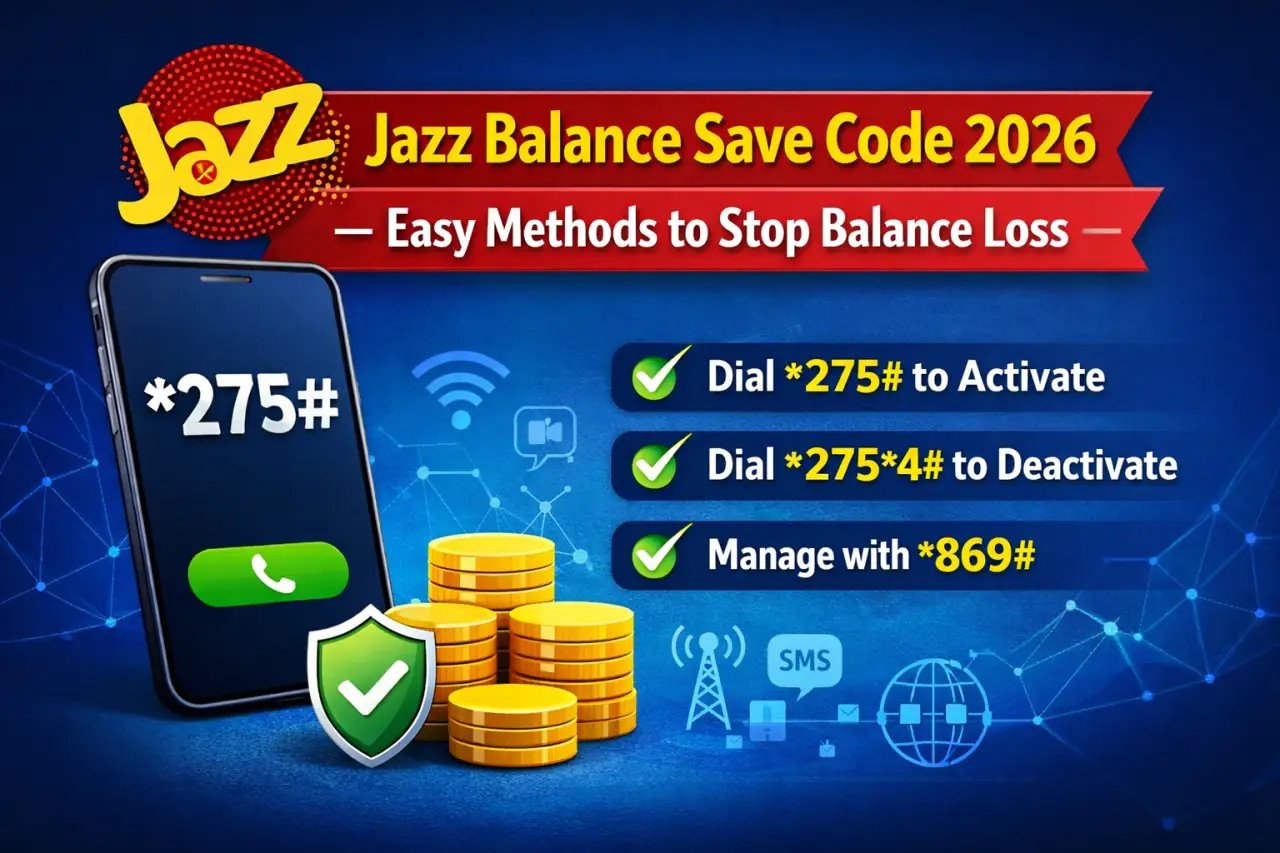
If your Jazz balance keeps decreasing due to background internet usage or expired bundles, the Jazz Balance Save Code 2026 is a useful solution to prevent unnecessary deductions. This guide clearly explains how to activate, deactivate, and manage the Jazz Balance Saver and Doosra Balance Service so you can stay in full control of your mobile credit. Each step is straightforward, helping you protect your balance without any confusion.
In 2026, handling your Jazz balance becomes simple when you use the correct codes. To activate the Jazz Balance Save service on your SIM, dial *275#. This helps block background data charges when you don’t have an active internet bundle. To check or manage your Doosra Balance, dial *869#. If you decide you no longer need a service, you can turn it off at any time using the relevant code.
It’s also important to regularly monitor your SIM activity. Keep checking your active bundles and subscribed services through USSD codes or the Jazz World App. By staying updated and using the Jazz Balance Save Code 2026, you can avoid unwanted deductions and ensure your balance remains secure.
For those looking for long-term options, Jazz Monthly Packages 2026, Jazz Monthly Call Packages 2026, and Jazz Monthly Internet Packages 2026 provide reliable solutions for extended usage.
If you prefer shorter or weekly plans, you can explore Jazz Weekly Call Packages 2026 and Jazz Weekly Internet Packages, which are perfect for flexible needs. Postpaid subscribers may review Jazz Postpaid Packages, while regional users can benefit from Jazz Location Based Offers 2026 to get plans tailored for their area.
Additionally, you can explore combined or social packages like Jazz All-in-One Offers, Jazz Social Packages, Jazz WhatsApp Packages, Jazz SMS Packages 2026, and Jazz International Call Packages to find the best option for your communication needs.
- Dial *275# to enable the Jazz Balance Save Code on your SIM.
- Use *869# to check or manage your Doosra Balance.
- Turn off any service anytime if you no longer want it.
- Keep an eye on your SIM usage by checking bundles and services often. You can use the Jazz World App or USSD codes to stop unwanted balance charges and keep your balance safe.
Activate Jazz Balance Save via USSD Code (*275#)
If you want to protect your remaining Jazz balance from unwanted deductions, activating the Jazz Balance Saver service is the best solution. This feature blocks background internet charges when you don’t have an active data bundle. It is especially helpful if mobile data turns on automatically and starts consuming balance.
To manage your Jazz services efficiently, you can easily Check Jazz Packages and decide which bundles suit your usage. If you want to activate any package, follow the guide on How to Subscribe to Jazz Packages, and if a package no longer fits your needs, learn How to Unsubscribe Jazz Packages to avoid unnecessary deductions.
Additionally, keeping track of your account is simple. You can Check Your Jazz Balance anytime to monitor remaining credits, Check Your Jazz Number if you forget it, or even Share Jazz Balance with friends and family in need. By combining these tips with the balance saver feature, you can stay in control of your Jazz account without worrying about surprise deductions.
How to Activate:
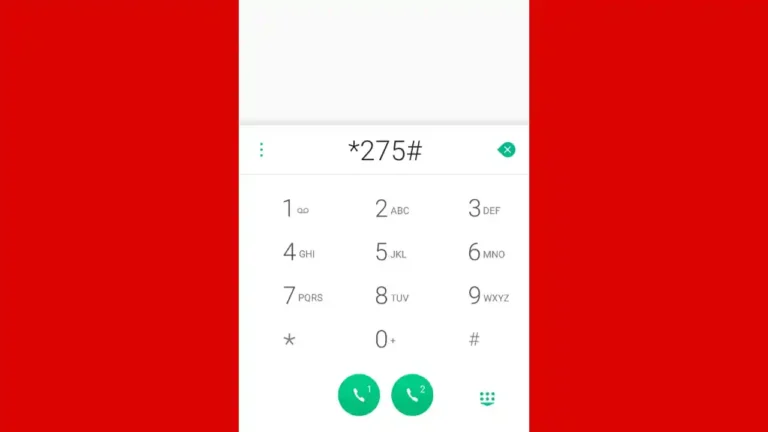
Open your mobile dialer.
Dial *275# and tap the call button.
Within a few seconds, you will receive a confirmation SMS stating:
“Jazz Balance Saver service aap ke number par activate ho chuki hai…”
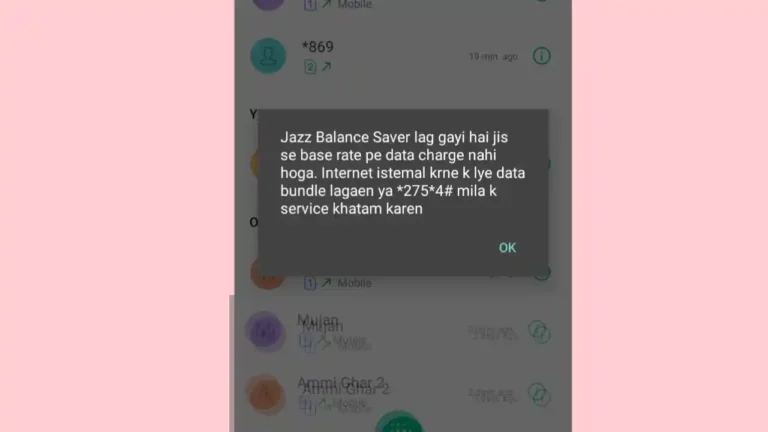
This SMS confirms that your balance is now secure. From now on, if no internet package is active, your main balance will not be deducted due to background apps.
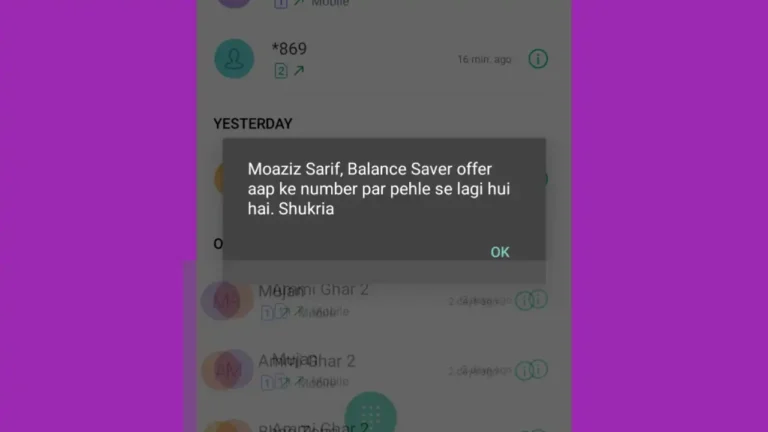
Important: If the service is already enabled, you will receive a message informing you that Balance Saver is already active on your SIM.
Deactivate Jazz Balance Save via USSD Code (*2754#)
If you prefer to allow standard balance deductions without restriction, you can disable the Balance Saver service anytime. Once deactivated, normal internet charges will apply when no bundle is active.
How to Deactivate:
Open your phone dial pad.
Dial *275*4# and press call.
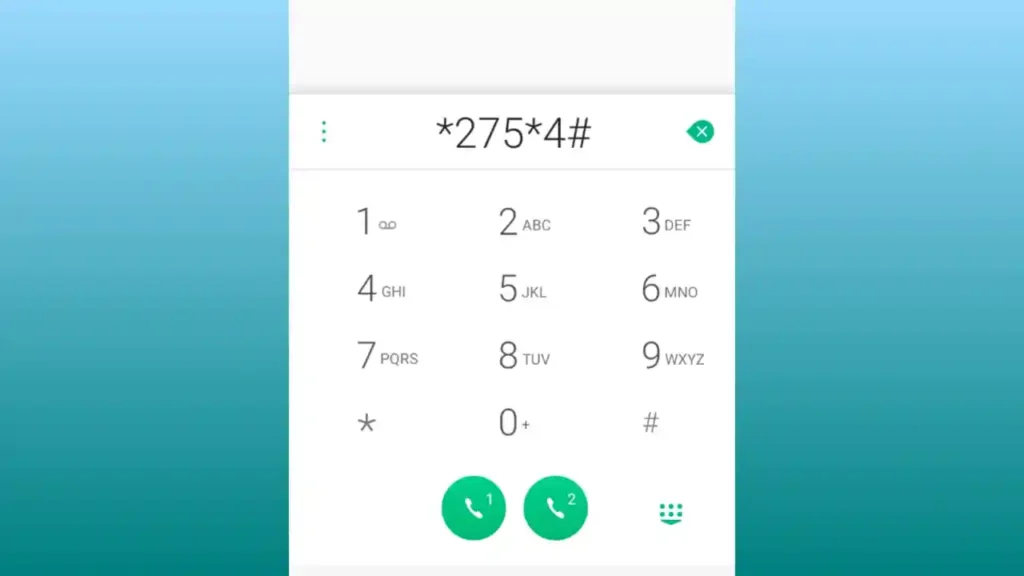
You will instantly receive an SMS confirming that the Balance Saver service has been turned off.
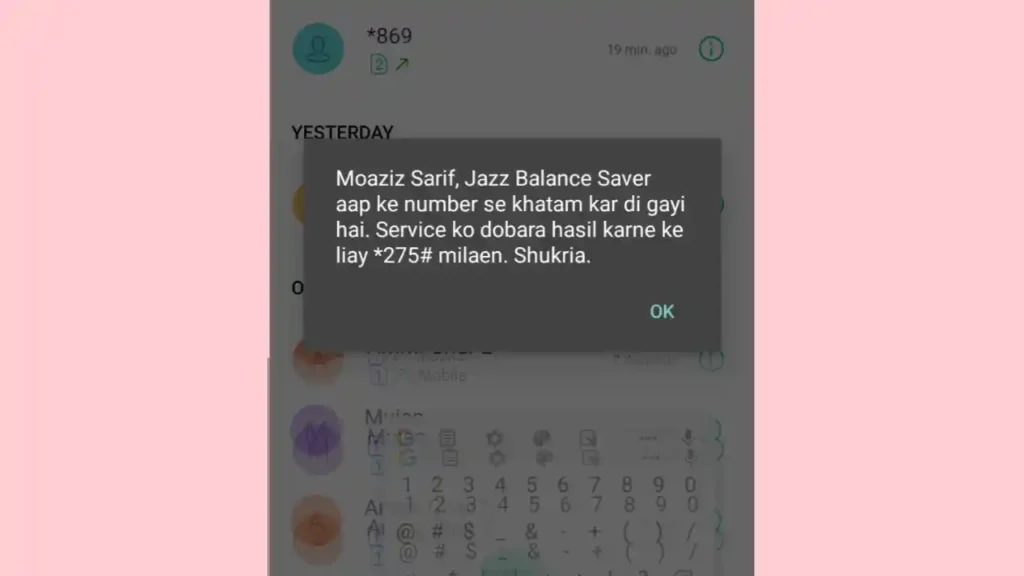
After this step, if mobile data is used without a package, charges will be deducted from your main balance according to standard rates.
Utilize the Jazz Doosra Balance Service (*869#)
Jazz Doosra Balance acts like a secondary wallet inside your SIM. You can transfer a specific amount from your main balance into this wallet to prevent accidental usage. This is useful if you want to reserve money for emergency calls or specific needs.
How to Transfer Balance:
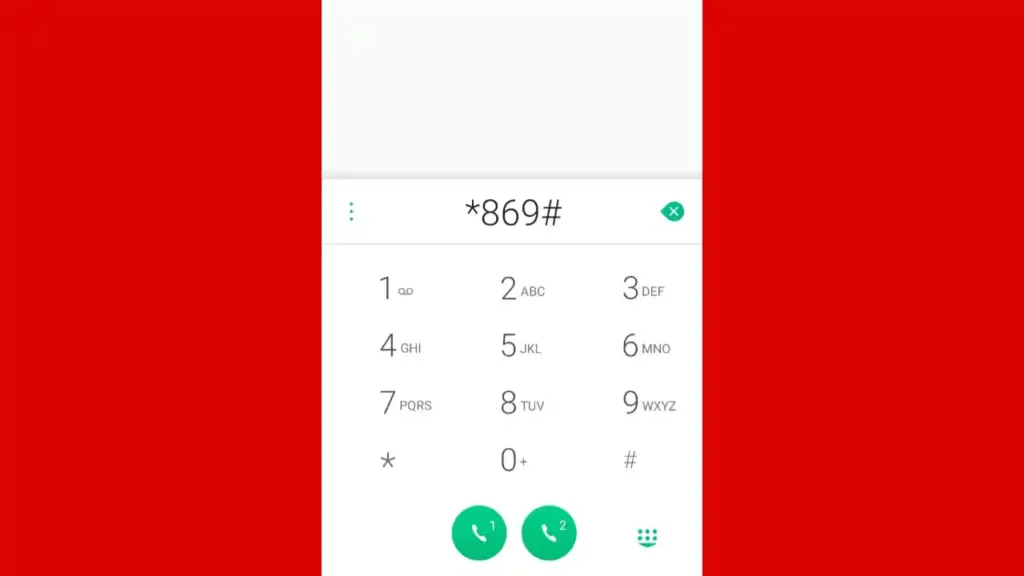
Dial *869# from your Jazz number.
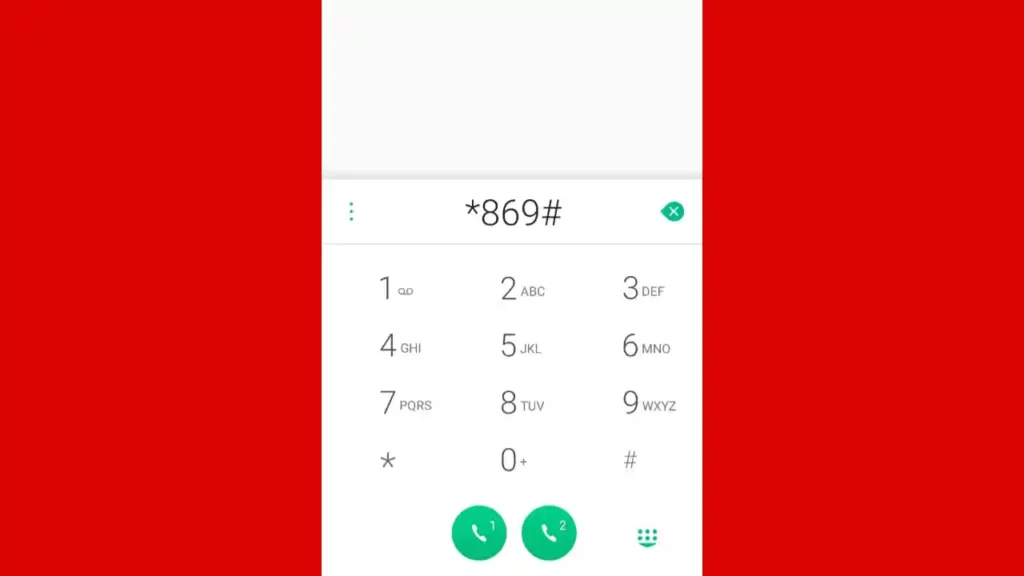
Select Option 1 from the menu to move balance to Doosra Balance.
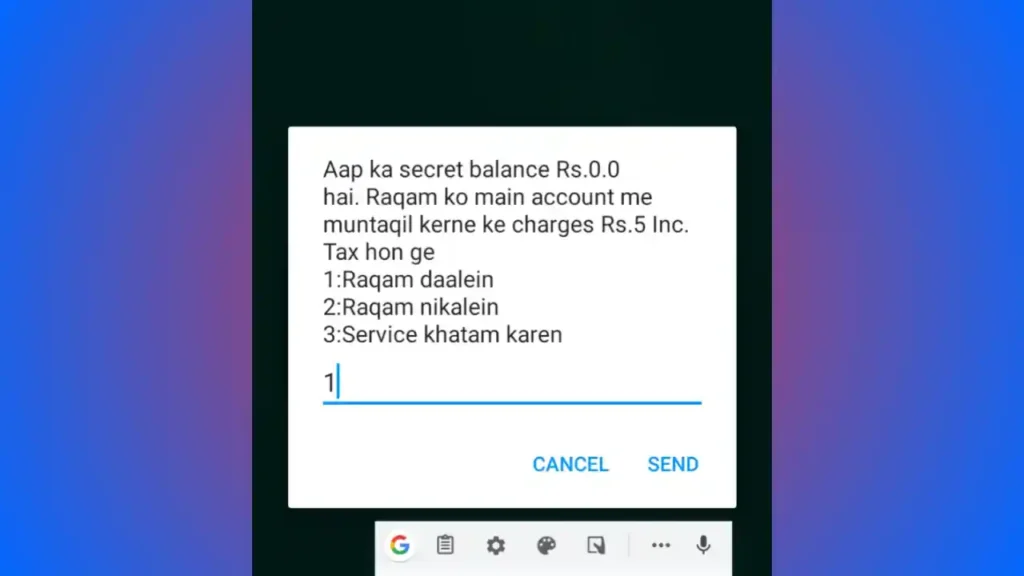
Enter the desired amount (for example Rs. 100) and confirm your request.
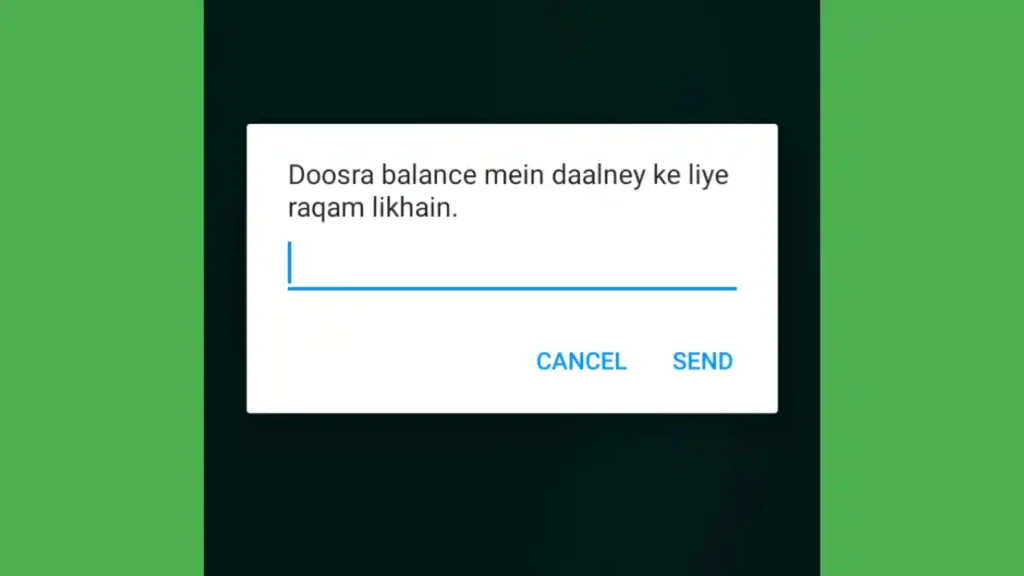
You will receive a confirmation SMS once the amount is successfully transferred. A small service fee of Rs. 5 + tax applies per transaction.
Withdraw Money from Doosra Balance
If you need your saved amount back in the main account, you can easily withdraw it using the same menu.
Steps:
Dial *869# again from your Jazz SIM.
Choose Option 2 to move funds back to your main balance.
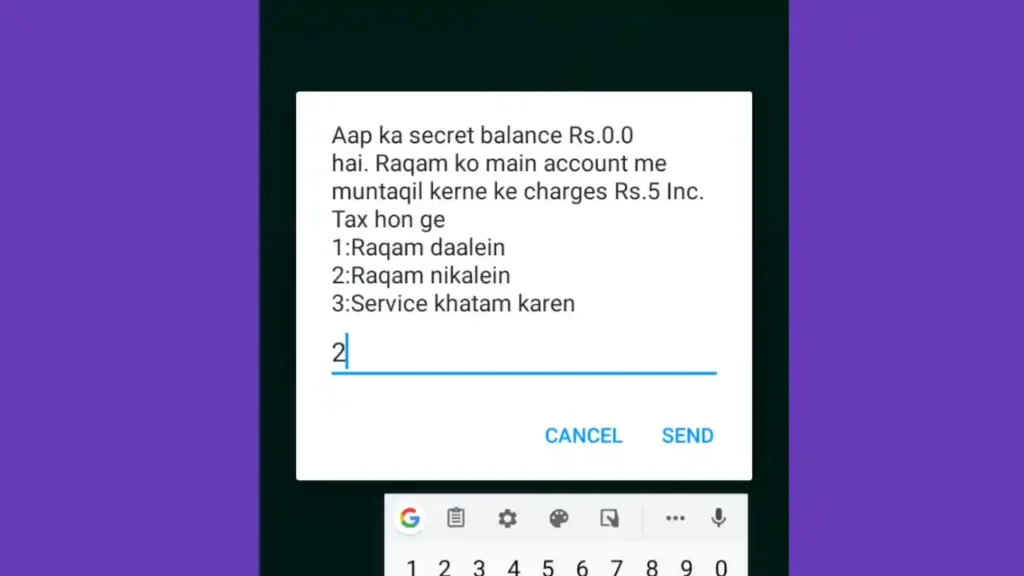
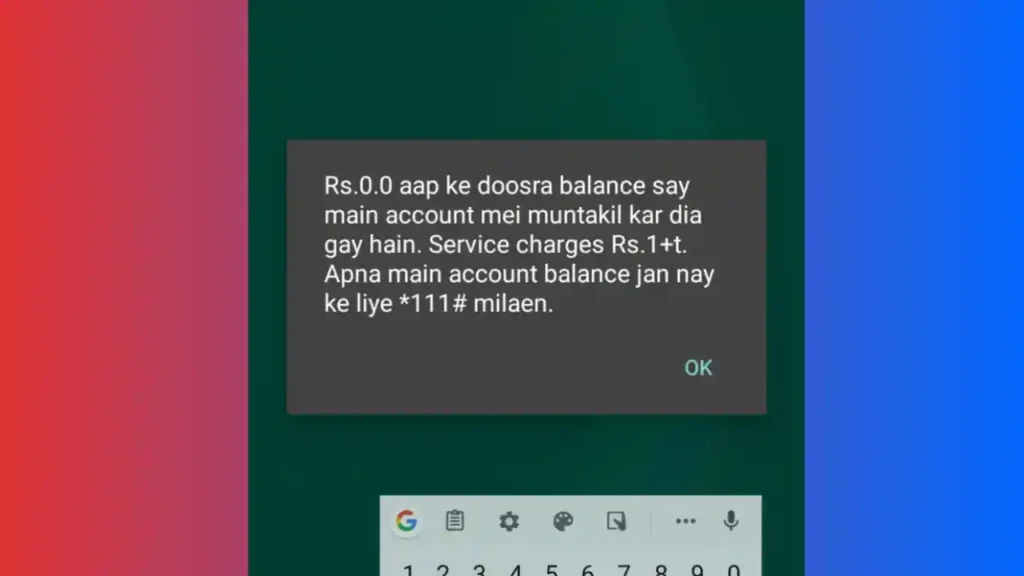
Confirm your selection. The transferred amount will instantly appear in your main balance. Rs. 1 + tax will be charged for each withdrawal.
Deactivate Jazz Doosra Balance Service (*869#)
You can permanently disable the Doosra Balance feature if you no longer need it.
Deactivation Steps:
Dial *869# and press call.
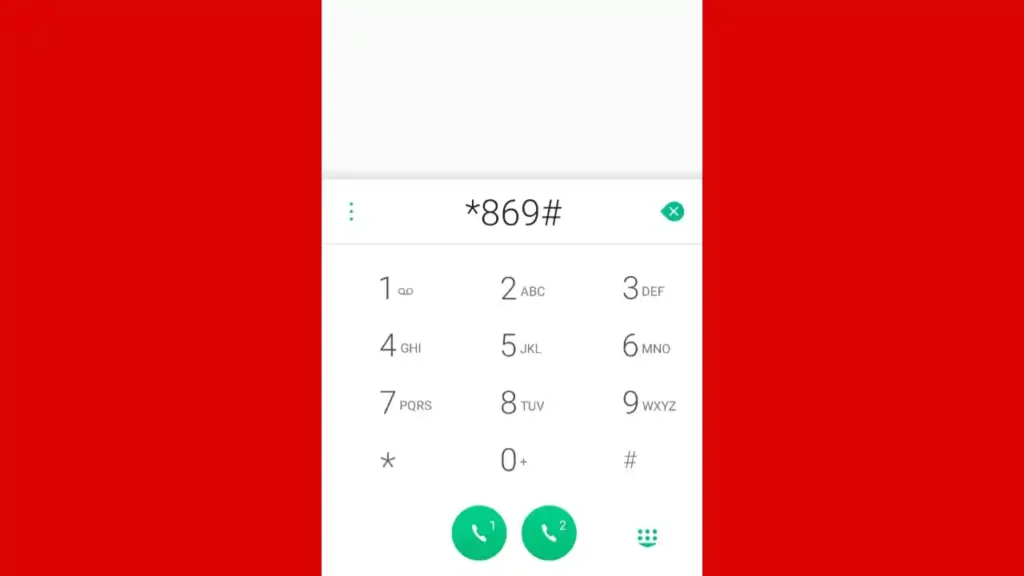
Select Option 3 to end the service.
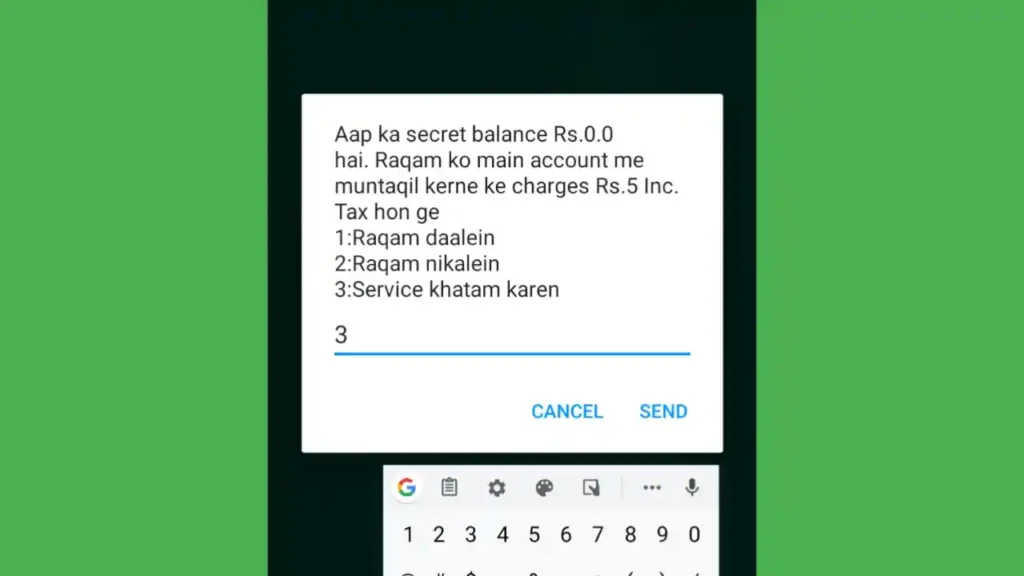
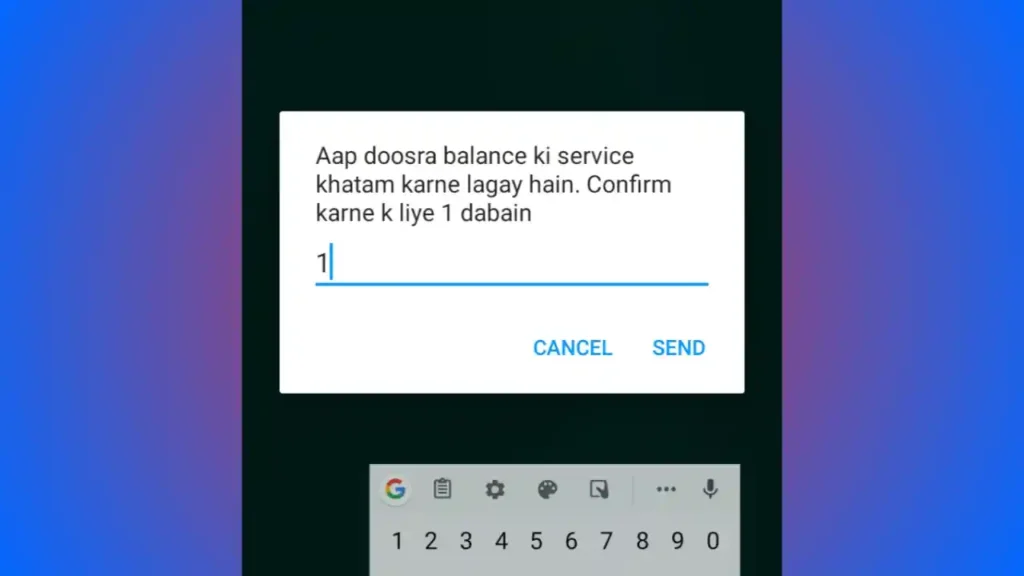
Reply with 1 to confirm your request.
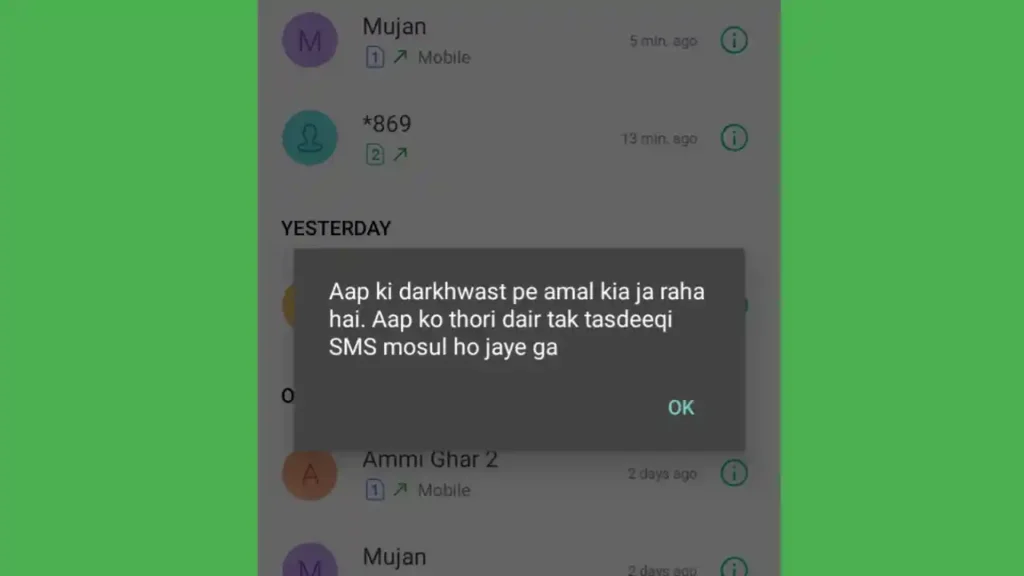
You will receive a processing confirmation message, and any remaining Doosra Balance will be moved back to your main account automatically.
How to Deactivate via Direct Code Dial
For instant removal without using the menu, simply dial *869*3# from your Jazz number.
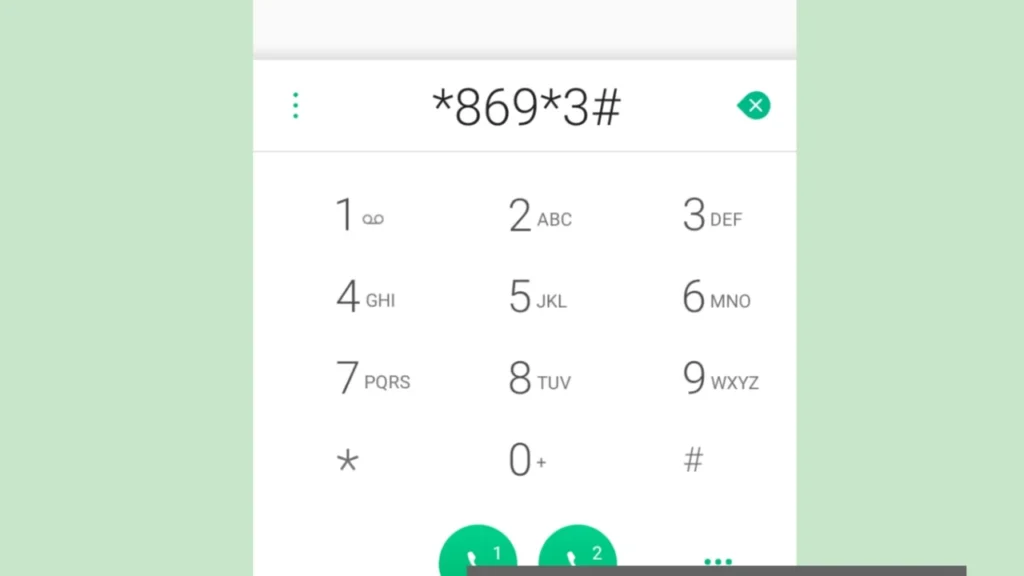
The service will be disabled immediately, and your SIM will continue operating with your main balance only.
Summary of Jazz Balance Saver & Doosra Balance Codes
| Service | USSD Code | Description |
|---|---|---|
| Activate Jazz Balance Saver | *275# | Stops data charges without an active bundle |
| Deactivate Jazz Balance Saver | *275*4# | Allows normal balance use for internet |
| Access Doosra Balance Menu | *869# | Move, withdraw, or stop secret balance service |
| Check Main Balance | *111# | Shows your available main account balance |
| View Active Subscriptions | *661# | Displays all active services on your SIM |
| JazzCash Mobile Banking | *786# | Send money, pay bills, or save money |
Jazz Balance Save Code vs. Doosra Balance – Which Is Better?
| Feature | *275# (Balance Saver) | *869# (Doosra Balance) |
|---|---|---|
| Blocks internet charges | Yes | No |
| Stores extra balance | No | Yes |
| Manual transfer needed | No | Yes |
| Simple to use | Very easy | Moderate |
| Deactivation Code | *275*4# | *869*3# |
You can use both services together for better balance safety. Activate *275# to block data charges and use *869# to store balance separately.
Use Jazz Simosa World App for Balance Save
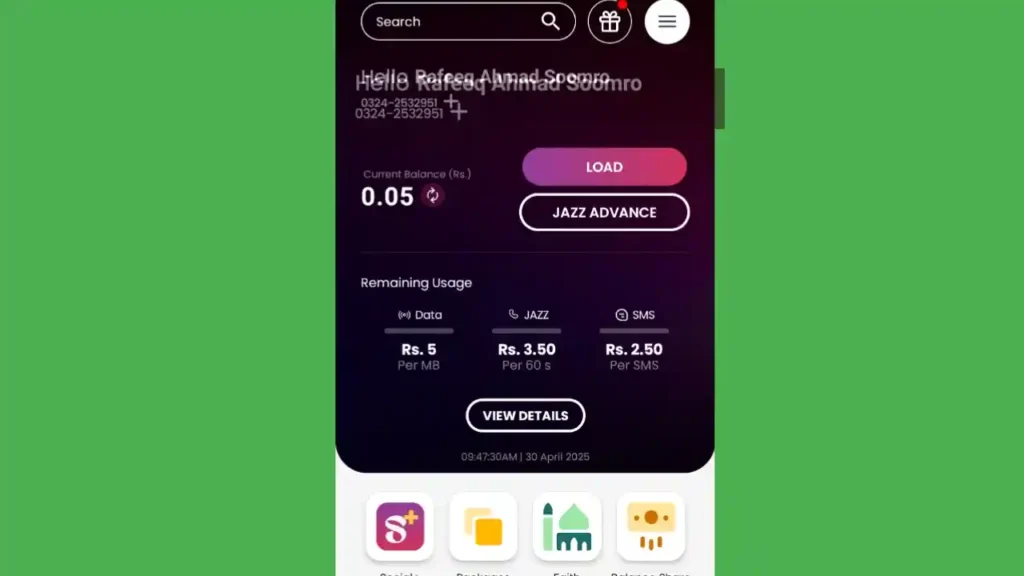
The Jazz Simosa World App is useful for checking bundles and activating offers, but if it runs in the background, it may use mobile data and reduce your balance. To avoid unnecessary deductions, follow these simple steps:
1. Check Active Services
Open the Jazz Simosa World App and review all active bundles or subscriptions. Make sure there are no unwanted offers running on your number.
2. Disable Auto-Renewal
If any package is set to auto-renew, turn this option off. Auto-renewal can deduct balance automatically when your bundle expires.
3. Limit Background Data Usage
Go to your phone settings, open App Settings, select Jazz World (Simosa), and restrict background data. This prevents the app from using internet without your permission.
4. Remove the App (If Not Needed)
If you rarely use the app, consider uninstalling it. This completely stops background activity and prevents accidental data usage.
5. Turn Off Mobile Data When Not in Use
Always switch off mobile data when you don’t need internet access. This simple habit can protect your balance from hidden charges.
By following these steps, you can better control your Jazz balance and avoid unwanted deductions caused by background internet usage.
How to Save Jazz Balance While Using Internet
Many Jazz users notice their balance reducing quickly while using mobile data. This usually happens when there is no active internet bundle or when apps consume data in the background. You can prevent unwanted deductions by following these easy methods:
1. Activate Jazz Balance Saver
Dial *275# from your Jazz SIM.
This service blocks background internet usage when no data bundle is active, helping protect your main balance.
2. Always Subscribe to an Internet Package
Before turning on mobile data, make sure you have an active daily, weekly, or monthly bundle. Without a package, internet charges are applied at the base rate, which can finish your balance very fast.
3. Disable Background Data Usage
Go to your phone settings → Apps → Select apps like WhatsApp, Facebook, Instagram, or YouTube → Turn off background data.
This stops apps from consuming internet when you are not actively using them.
4. Turn On Data Saver Mode
Most Android and iPhone devices have a built-in Data Saver or Low Data Mode. Enable this feature to limit background activity and reduce overall data consumption.
5. Unsubscribe from Unwanted Services
Sometimes third-party services deduct balance silently.
Send “unsub” to 6611 to remove unnecessary subscriptions.
6. Restrict App Internet Access
If there are apps you rarely use, block their mobile data access from your phone settings. This ensures they don’t consume balance without your knowledge.
7. Avoid Using Internet Without a Bundle
Even a few KBs of usage without a package can cause balance deduction. Always check your bundle status before turning on mobile data.
By applying these tips, you can use Jazz internet services without worrying about unexpected balance loss.
How to Check Balance (Main + Doosra Account)
Keeping track of both balances helps you manage your expenses properly.
Main Balance
- Dial *111# from your Jazz number to check your remaining balance.
- You can also open the Jazz World (Simosa) App to view your balance and active bundles.
Doosra Balance
- Dial *869# from your Jazz SIM.
- Choose the balance inquiry option from the menu to see your Doosra Balance amount.
Checking your balances regularly ensures you stay informed and avoid sudden deductions.
How to Save Jazz Balance Postpaid Offer
For Jazz Postpaid customers, balance management is slightly different from prepaid because charges are added to your monthly bill instead of deducting from a main balance. However, you can still control your usage and avoid extra out-of-bundle charges by following these smart steps:
1. Select the Right Postpaid Plan
Always choose a Jazz Postpaid package that matches your monthly needs.
If you use more internet, select a plan with higher data.
If you mostly make calls, choose a package with more minutes.
Picking the correct plan prevents overage charges at the end of the month.
2. Monitor Your Usage Regularly
Keep track of your remaining resources.
You can:
- Dial *2222# to check your usage details.
- Use the Jazz World (Simosa) App to see remaining MBs, minutes, and SMS.
Regular monitoring helps you avoid crossing your package limits.
3. Turn Off Background Data
Apps like YouTube, Facebook, Instagram, and automatic updates consume data silently.
Go to your phone settings and disable background data for unnecessary apps.
This reduces extra data usage beyond your monthly limit.
4. Activate Add-Ons Before Your Limit Ends
If your data or minutes are about to finish, subscribe to a Jazz Postpaid add-on bundle.
Add-ons are cheaper than standard out-of-bundle rates and help control your monthly bill.
5. Disable Unwanted Services
Premium SMS alerts, third-party subscriptions, or value-added services may increase your bill.
You can:
- Call 111 to talk to customer support.
- Use the Jazz World App to check and deactivate extra services.
6. Use Wi-Fi Whenever Possible
Connecting to Wi-Fi at home or office reduces mobile data consumption and keeps your postpaid bill lower.
By following these simple precautions, Jazz Postpaid users can manage their monthly usage efficiently, avoid surprise charges, and keep their bill under control.
What Is the Jazz Balance Save Code?
- The Jazz Balance Save Code helps stop balance loss when mobile data is turned on without a bundle. This USSD code blocks background internet use and protects your balance from silent deductions.
- Many users lose balance when apps use data without notice. This service keeps your balance safe and gives peace of mind.
- If you forget to activate bundles often or want to secure balance, this code is a simple and fast option.
Why Does Jazz Balance Get Deducted?
Many Jazz users notice their balance decreasing even when they aren’t actively making calls or using data. This usually happens due to a few common reasons:
- Background App Usage: Some apps like social media, video streaming, or email apps consume data without opening them.
- Using Internet Without a Bundle: Browsing or streaming without an active package charges your main balance at higher rates.
- Third-Party Services: Some services, SMS subscriptions, or value-added services activate automatically and deduct balance without prior notice.
- Apps like Jazz Simosa World: Even apps meant for account management may use small amounts of balance in the background.
Because these deductions often happen silently, it’s important to actively monitor and manage your balance.
Common Issues and Quick Fixes
1. Balance Still Reducing After Activating Jazz Balance Saver
If you notice deductions despite enabling *275#, try these steps:
- Confirm you dialed *275# correctly.
- Restart your phone after activation to refresh settings.
- Disable background data for apps you rarely use (like social media or updates).
2. Activation Code Not Working
If the USSD code isn’t responding:
- Wait a few minutes and try again. Sometimes network delay causes temporary errors.
- Ensure your SIM is prepaid, as some codes may not work for postpaid numbers.
- Contact Jazz Helpline at 111 if the issue persists.
Tips for Long-Term Balance Management
To prevent unnecessary deductions and extend your balance:
- Check Active Services: Dial *111# or use the Jazz World (Simosa) App to see which packages or services are active.
- Use Wi-Fi Whenever Possible: Connect to home, office, or public Wi-Fi to save mobile data.
- Set Data Alerts: Enable notifications in your phone settings to track data usage.
- Always Subscribe to Bundles: Using daily, weekly, or monthly internet packages is cheaper than pay-as-you-go internet charges.
By following these practices, you can protect your balance, avoid unexpected charges, and enjoy a stress-free Jazz experience.
Jazz Full Balance Offer Code
To instantly credit your full recharge amount without any deductions, dial:
*408#
This Jazz Full Balance Offer ensures that your complete recharge value is added to your account, giving you full control over your balance.
What is Jazz Balance Saver?
Jazz Balance Saver is a free service designed to protect your balance from being used unintentionally when mobile data is active without a package.
- How to Activate: Dial *275# from your Jazz SIM.
- Once activated, it prevents background apps from consuming your main balance.
This service is perfect for users who want to avoid hidden charges while using mobile internet.
What is Jazz Zero Balance?
Even if your balance reaches zero, Jazz Zero Balance keeps you connected to essential services:
- Emergency calls and SMS remain active.
- You can use emergency loan services.
- Services like Jazz Balance Saver can still be activated.
It’s a safety feature that ensures you never get completely cut off from your mobile network.
Minimum Balance Requirement for Jazz
- The minimum load for Jazz is usually Rs. 10 via Easyload.
- Scratch cards are available starting from Rs. 100.
- Small top-ups can also be added through digital wallets or mobile banking apps.
This flexibility helps users maintain enough balance for calls, SMS, or emergency usage.
Final Words
Using the Jazz Balance Save Code 2026 makes protecting your balance quick and hassle-free. Whether you activate it with *275#, check and manage your Doosra Balance with *869#, or handle everything through the Jazz Simosa World App, you can prevent unwanted deductions and keep your mobile credit secure. This simple approach ensures you stay in control of your Jazz balance at all times.
FAQS
How can I save Jazz balance from automatic deduction?
Dial *275# to activate Jazz Balance Saver. It blocks background internet charges without a bundle.
What is Jazz Doosra Balance code?
Dial *869# to open the Doosra Balance menu and move balance to a safe account.
How can I deactivate Jazz Balance Saver?
Dial 2754# to turn off the Balance Saver service.
How do I check my Jazz Doosra Balance?
Dial *869# and choose the balance check option from the menu.
What is the benefit of Jazz Doosra Balance?
It keeps balance safe from background app usage and unwanted charges.
Can I use both 275# and 869# together?
Yes, using both helps block data charges and store balance separately.
Why is my Jazz balance still deducting?
You may not have activated *275#. Also, turn off background data and check services via *661#.
What apps deduct Jazz balance silently?
Apps like Jazz Simosa World and social apps may use data in the background. Block their internet or remove them.
How to withdraw balance from Jazz Doosra Balance?
Dial *869#, select withdraw option, and confirm. A small fee applies.
How to check all active Jazz services?
Dial *661# to view and manage active services on your SIM.
How can I get extra balance in Jazz?
You can use balance advance via *112#. For saving, use *869# Doosra Balance.
How long does Jazz balance last?
Balance expiry depends on usage. Regular SIM use keeps balance active.
How to fill Jazz balance?
Recharge using Jazz Simosa World App, scratch cards, or retailers. Use 123PIN# for scratch cards.
What is the minimum balance for JazzCash?
There is no fixed minimum. Keeping Rs. 1 or more allows JazzCash use.
What is the Jazz helpline code?
Dial 111 from your Jazz number to contact customer support.