Paying for a Jazz bundle you no longer need? Here’s how to stop it right away!
If you want to cancel your Jazz subscription, there are several ways to do it. You can stop it through a USSD dial code, text message, the Jazz World application, or by reaching out to their helpline.
This walkthrough explains different ways to cancel your subscription fast and stop unnecessary deductions from your balance.
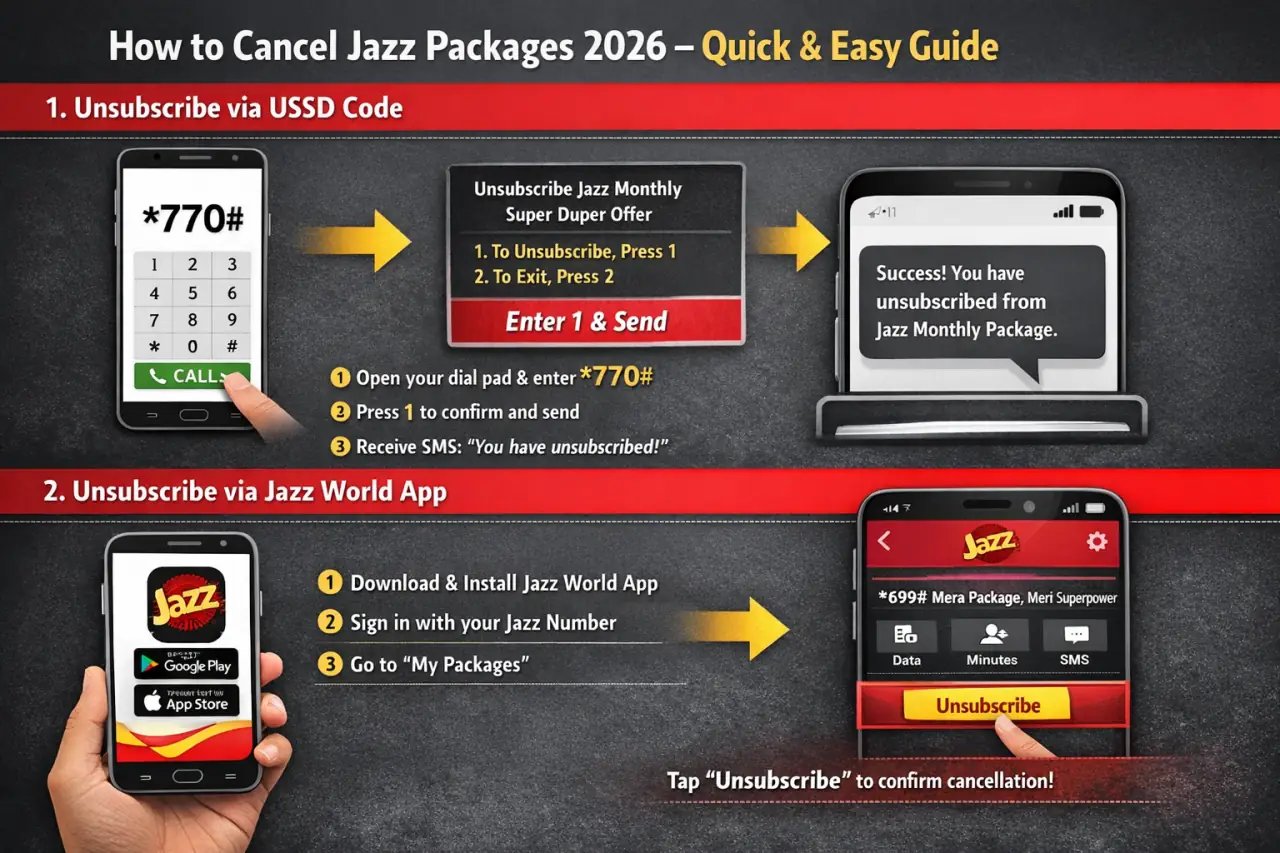
1. Unsubscribe via USSD Code
Looking to cancel right now? Using a USSD dial code is the fastest option.
Open your phone’s dial pad.
Enter *770# and tap the call button.
unsubscribe jazz monthly package Unsubscribe via USSD Code Dial _770# and press call
A verification screen will show up—type 1 and hit send.
Unsubscribing from the Jazz Monthly Super Duper Offer _A confirmation message will appear on your screen enter 1 and reply send
An SMS will arrive confirming that your bundle has been stopped.
2. Unsubscribe via Jazz World App
Prefer using apps? The Jazz Simosa World App offers a simple solution:
Get and launch the Jazz Simosa World App.
Download & install the SIMOSA Jazz World App from Google Play Store for Android users-Apple App Store for iPhone users
Sign in with your Jazz mobile number.
SIMOSA Jazz World dashboard check your balance packages call minute internet data SMS
Navigate to “My Packages” or “Active Subscriptions”.
Locate “*699# Mera Package, Meri Superpower” and select “Unsubscribe”.
A verification notice will appear after the cancellation is complete.
3. Unsubscribe via SMS
Don’t have mobile data? That’s okay! Send a text to cancel.
Launch your messaging application.
Write “UNSUB” in a blank message.
Forward it to 770.
A confirmation text will come through once your bundle is stopped.
4. Unsubscribe via Jazz Customer Support
Unsure about your current active bundle? Connect with a Jazz support agent.
Call 111 using your Jazz mobile number.
Listen to the automated menu and pick “Package Inquiries”.
Select “Unsubscribe Package” from the given choices.
Talk to a support person if you need extra help.
Method
How It Works
Best For
USSD Code
Dial *770# to unsubscribe instantly.
Quick and easy package deactivation.
Jazz World App
Open the app, go to “My Packages,” and tap Unsubscribe.
Digital users who prefer apps.
SMS Method
Send “UNSUB” to 770 via SMS.
Users who prefer text-based commands.
Call Support
Dial 111, follow menu options, or talk to an agent.
Those needing assistance.
Example Package: *699# Mera Package, Meri Superpower
Package Name
Type
On-Net Mins
Off-Net Mins
SMS
MBs (Data)
Validity
Price
Insurance
Subscribe Code
*699# Mera Package, Meri Superpower
Prepaid
1000
–
–
1GB FB (Upgradable to 5GB)
30 Days
Rs. 100
–
*699#
Final Thoughts
Stopping your Jazz subscription is simple and takes just moments. You can cancel using USSD, the Jazz World App, text message, or customer helpline—all options work in seconds and help you avoid unwanted balance deductions. Take charge of your Jazz account and spend money only on services you really need!
FAQs
How can I unsubscribe from a Jazz package quickly?
The quickest method to stop your Jazz bundle is by entering *770# on your dial pad, typing 1, and hitting send. An SMS notification will arrive once your subscription has been deactivated.
Can I unsubscribe from a Jazz package using the Jazz World App?
Absolutely! Launch the Jazz World App, head to “My Packages”, locate your running subscription, and press “Unsubscribe” to stop it.
What is the SMS method to unsubscribe from a Jazz package?
You can stop your bundle through SMS by writing “UNSUB” in a text and forwarding it to 770. A confirmation text message will come once the cancellation goes through.
What if I don’t know which package is active on my Jazz SIM?
Enter *111# on your phone to see which Jazz bundles are currently running before you proceed with cancellation.
Is there any way to talk to a Jazz representative for unsubscription?
Yes, dial 111, listen to the options, and connect with a customer support agent to ask for package cancellation.
Will I get a refund if I unsubscribe from a Jazz package?
No, Jazz doesn’t give refunds when you cancel bundles. However, you can keep using whatever benefits are left until the validity runs out.
Can I re-subscribe to a package after unsubscribing?
Yes! You can activate the same bundle again anytime by entering its activation code. For instance, dial *699# to turn on Mera Package, Meri Superpower again.
What happens if I don’t unsubscribe? Will Jazz auto-renew my package?
If auto-renewal is turned on and your balance is enough, your bundle will renew by itself. If not, it will stop working when the validity period ends.
Do I need an internet connection to unsubscribe from a Jazz package?
No, you can cancel using the USSD dial code (*770#) or by sending a text (Type “UNSUB” and send to 770) without any mobile data. But if you want to use the Jazz World App, you’ll need internet access.
Will unsubscribing affect my Jazz SIM or other services?
No, stopping a bundle won’t harm your Jazz SIM, call credit, or any other active services. Only the chosen subscription will be cancelled.
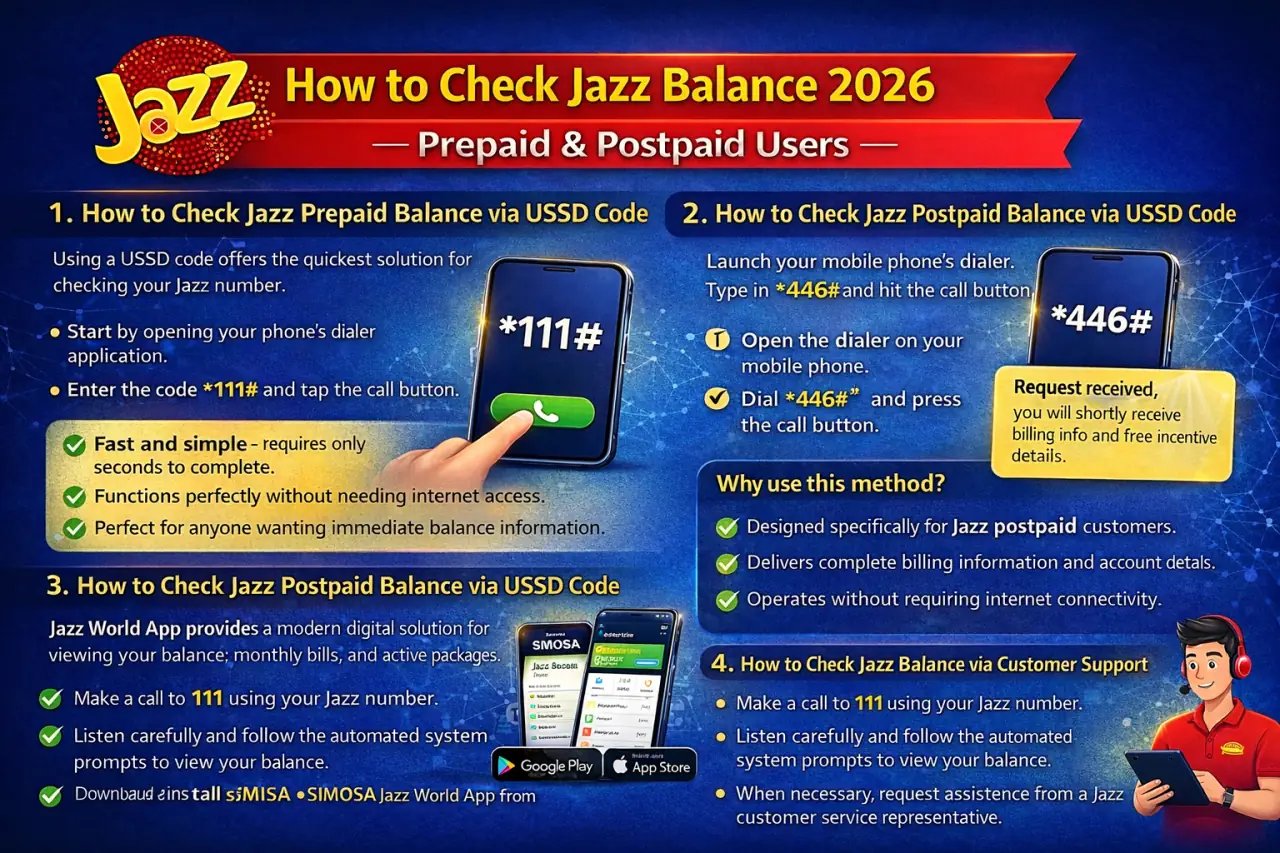
Keeping track of your Jazz balance helps you avoid unexpected service disruptions. Both prepaid and postpaid Jazz customers can easily monitor their account balance through multiple methods. This complete guide shows you four convenient options to check your Jazz balance whenever needed.
1. How to Check Jazz Prepaid Balance via USSD Code
Using a USSD code offers the quickest solution for checking your Jazz prepaid balance. Here’s what you need to do:
Start by opening your phone’s dialer application. Enter the code *111# and tap the call button to proceed.
Check Jazz Balance Dial 111 and press the call button
Once you complete the dialing process, your current available balance will show up on your mobile screen right away.
Check Jazz Balance Your remaining balance will be displayed on the screen
Why use this method?
✔️ Fast and simple – requires only seconds to complete.
✔️ Functions perfectly without needing internet access.
✔️ Perfect for anyone wanting immediate balance information.
2. How to Check Jazz Postpaid Balance via USSD Code
Jazz postpaid customers can easily view their billing information by using a specific USSD code. Complete these simple steps:
Launch your mobile phone’s dialer. Type in *446# and hit the call button.
How to Check Jazz Postpaid Balance via USSD Code Open the dialer on your mobile phone. Dial 446# and press the call button.
Postpaid users will get this confirmation message: “Request received. You will shortly receive billing info and free incentive details.”
How to Check Jazz Balance Request received, you will shortly receive billing info and free incentive details
Prepaid customers trying this code will see this notification: “Dear customer, this service is only for active postpaid subscribers.”
Check Jazz Balance postpaid Dear customer, this service is only for active postpaid subscribers
Why use this method?
✔️ Designed specifically for Jazz postpaid customers.
✔️ Delivers complete billing information and account details.
✔️ Operates without requiring internet connectivity.
3. How to Check Jazz Balance via Jazz World App
The Jazz World App provides a modern digital solution for viewing your balance, monthly bills, and active packages. Follow this process:
First, download and install the Jazz World App from:
Google Play Store (Android device users).
Apple App Store (iOS device users).
Download & install the SIMOSA Jazz World App from Google Play Store for Android users-Apple App Store for iPhone users
After download app open SIMOSA Jazz World App enter your mobile number
Your current balance or billing summary will display directly on the main dashboard.
SIMOSA Jazz World dashboard check your balance packages call minute internet data SMS
Why use this method?
✔️ Simple interface that’s easy to understand and use.
✔️ Offers additional features beyond balance checking – manage your packages and add credit.
✔️ Compatible with both prepaid and postpaid accounts.
4. How to Check Jazz Balance via Customer Support
If you’d rather speak with a Jazz support agent, you can verify your balance through their helpline. Here’s the process:
Make a call to 111 using your Jazz number. Listen carefully and follow the automated system prompts to view your balance. When necessary, request assistance from a Jazz customer service representative.
Why use this method?
✔️ Ideal for customers requiring assistance or facing technical difficulties.
✔️ Available for both prepaid and postpaid account holders.
Best Methods to Check Jazz Balance
Method
How It Works
Best For
USSD Code (*111#)
Dial *111# to check Jazz prepaid balance.
Quick check for prepaid users.
USSD Code (*446#)
Dial *446# to check Jazz postpaid bill details.
Postpaid users needing bill info.
Jazz World App
Open the app and check balance on the home screen.
Digital users who prefer apps.
Customer Support (111)
Call 111 and follow instructions.
Users who need assistance.
🔹 Pro Tip: Download the Jazz World App to check your balance, manage packages, and recharge in seconds!
Conclusion
Checking your Jazz balance is simple and takes minimal time. USSD codes work perfectly for quick balance checks, while the Jazz SIMOSA World App provides comprehensive details and better account management. Jazz customer support remains accessible around the clock whenever you need additional help.
FAQs
How can I check my Jazz prepaid balance?
Checking your Jazz prepaid balance requires dialing *111# from your mobile device. After dialing this code, your available balance amount will appear immediately on your phone’s display screen.
How do I check my Jazz postpaid bill details?
Jazz postpaid subscribers should dial *446# using their registered number. After completing this action, you’ll receive a text message containing your current billing information along with details about any free incentives available on your account.
What should I do if I see the message: “This service is only for active postpaid subscribers”?
This notification appears when prepaid customers attempt to use features designed exclusively for postpaid accounts. Since you’re using a prepaid connection, simply dial *111# to view your balance instead.
Can I check my Jazz balance online?
Yes, online balance checking is possible through the Jazz World App. Start by downloading this application from either Google Play Store or Apple App Store based on your device. After installation, log in using your Jazz mobile number and your balance information will appear on the application’s home screen.
Is there a way to check Jazz balance without dialing a USSD code?
Absolutely, you have alternative options available. You can view your balance by using the Jazz World App or by calling the Jazz helpline at 111 and following the voice-guided instructions provided by the automated system.
How can I check my Jazz balance if my USSD code is not working?
When USSD codes fail to work properly, restart your mobile device completely and attempt dialing the code again. Should the problem continue, switch to using the Jazz World App or contact Jazz customer support by dialing 111 for direct assistance.
Can I check my Jazz balance using WhatsApp?
At present, Jazz doesn’t provide balance inquiry services through WhatsApp messaging. Your available options include using the USSD code (111#), downloading the Jazz World App, or contacting Jazz customer support directly.
Does checking Jazz balance via USSD code cost anything?
Jazz might apply a minimal service charge when you check your balance using USSD codes. However, using the Jazz World App for balance inquiries comes at no cost.
What is the best method for checking Jazz balance?
For prepaid users: Dial *111# to get instant balance information. For postpaid users: Dial *446# to receive your billing details. For a digital solution: Use the Jazz World App to check balance, manage packages, and recharge.
How do I contact Jazz customer support for balance-related queries?
Call 111 from your Jazz number and listen to the automated voice instructions to check your balance or request to speak with a Jazz representative who can provide additional assistance.
Have a Jazz SIM but don’t remember your mobile number? No need to stress. Jazz offers multiple easy options to help you find your number without any hassle. You can check it by dialing a short code, sending a message, using the Jazz World App, or contacting customer care. Pick the method that suits you best and get your Jazz number instantly.
Below, you’ll find a step-by-step guide explaining each method in a clear and simple way.
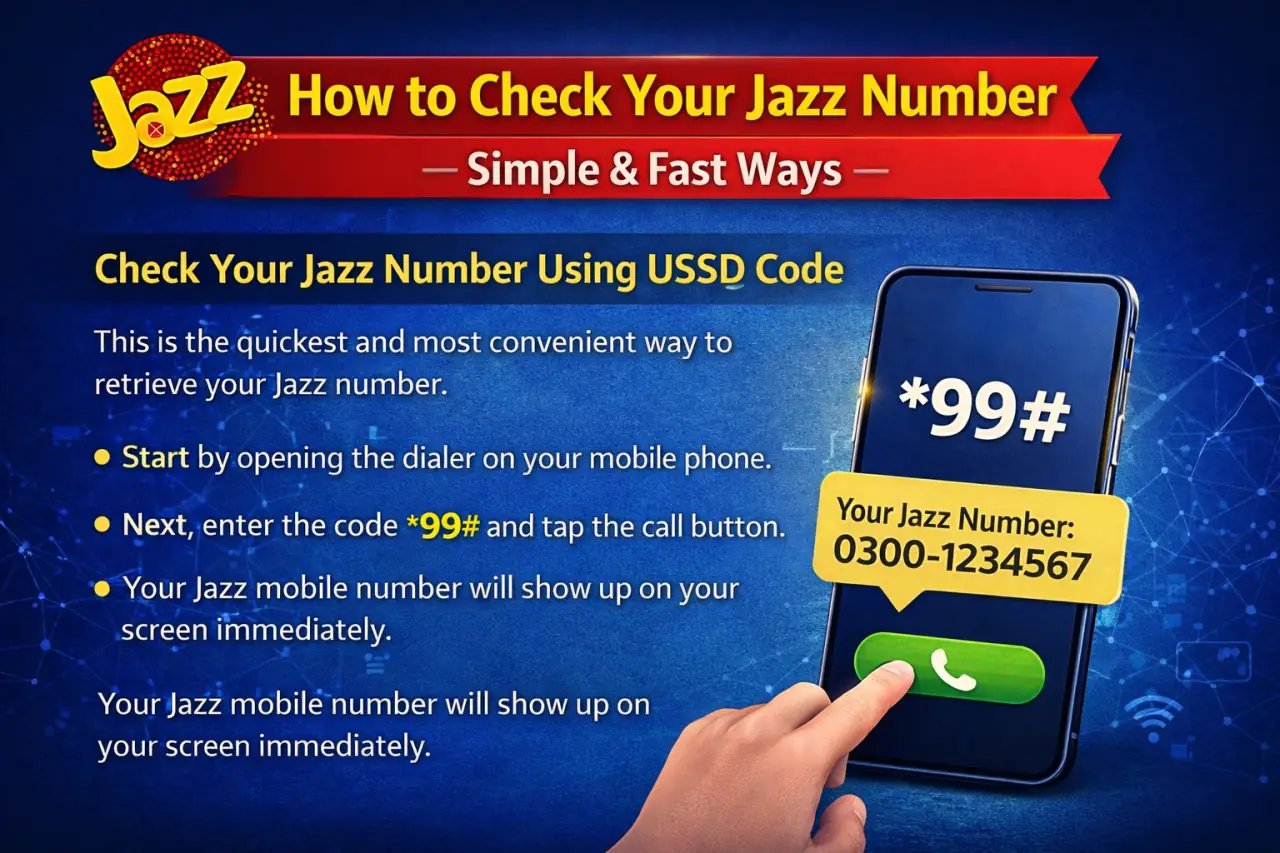
1. Check Your Jazz Number Using USSD Code
This is the quickest and most convenient way to retrieve your Jazz number.
Start by opening the dialer on your mobile phone.
Next, enter the code *99# and tap the call button.
Your Jazz mobile number will show up on your screen immediately.
This method is completely free and works without needing any balance or internet connection.
2. Check Your Jazz Number via SMS
This option gives you additional information about your SIM card.
Launch your messaging app and create a new text message.
In the message field, enter the word MNP.
Once done, send this message to the short code 667.
Within moments, you’ll get a reply containing your Jazz number along with the registered owner’s name and national identity card information.
⚠ Note: Be aware that sending this SMS might involve a minor fee.
3. Check Your Jazz Number Using the Jazz Simosa World App
If you like using mobile apps, the Jazz Simosa World App offers a convenient solution.
First, download the Jazz Simosa World App. Android users can find it on the Play Store, while iPhone users should visit the App Store.
After installation, launch the app and sign in by entering your Jazz mobile number.
You’ll receive a verification code to complete the login process.
Once you’re inside, your Jazz number will be displayed right on the main dashboard screen.
4. Check Your Jazz Number via Customer Support
Need personal assistance? Jazz customer service representatives are ready to help.
Simply dial the helpline number 111 from your Jazz SIM card.
Listen carefully to the automated menu options and select the choice that connects you to a live agent.
When connected, ask the representative to provide your Jazz number.
They’ll confirm your identity by asking some security questions before sharing your number with you.
Method
How It Works
Best For
Cost
Response Time
USSD Code (*99#)
Dial *99# to see your Jazz number instantly on the screen.
Quick and free number checking.
Free
Instant
SMS (667)
Send “MNP” to 667 to receive your number and SIM details via SMS.
Users who need additional SIM details.
Standard SMS Charges
A few seconds
Jazz World App
Download and open the app to find your number on the home screen.
Digital users who prefer apps.
Free
Instant
Customer Support (111)
Call 111 and request your number from a Jazz agent.
Users who need live assistance.
Standard Charges
Wait time dependent
Final Thoughts
It’s perfectly normal to forget your Jazz mobile number, but retrieving it is straightforward. For instant results, use the USSD code option. If you need more information about your SIM registration, send an SMS. The Jazz World App provides a modern digital way to view your number, while customer support offers personalized help. With these options available, you can locate your Jazz number whenever and wherever you need it!
FAQs
How can I check my Jazz number without balance?
You can retrieve your Jazz number at no cost by entering *99# on your phone and pressing the call button. This service is free and your number will show up right away on your display.
Can I check my Jazz number without a SIM card?
Unfortunately, you cannot check your number without having an active Jazz SIM inserted in your device. The USSD codes, text messages, and the Jazz World App all require your SIM to be present and working. If your SIM card is missing or lost, you’ll need to visit any Jazz service center or contact the helpline at 111 for support.
Does checking my Jazz number via SMS (667) cost money?
Sending the text “MNP” to 667 might result in a small charge based on your current Jazz package plan. If you want to avoid any charges, simply use the free USSD code method by dialing *99# instead.
How do I check my Jazz number online?
You can find your Jazz number through the internet by downloading the Jazz World App from either the Play Store for Android devices or the App Store for Apple devices. After downloading, open the app and complete the login process using your Jazz SIM. Your mobile number will then be visible on the home screen of the application.
Can I check my Jazz number using CNIC?
Yes, you can see all mobile numbers registered under your national identity card by going to the website https://cnic.sims.pk. Keep in mind that this website displays every SIM registered to your CNIC from all networks, not exclusively your Jazz number.
How can I check the owner’s name of a Jazz number?
To find out who owns a particular Jazz number, send the word “MNP” as a text message to 667. You’ll receive a reply showing the registered owner’s name along with the CNIC information linked to that SIM card.
How do I find my Jazz number if I have a dual SIM phone?
When your phone has two SIM cards installed, make sure you choose the right SIM slot that contains your Jazz SIM before entering *99# or opening the Jazz World App. This ensures you’re checking the correct number.
What should I do if my Jazz number is not working?
If you’re experiencing issues with your Jazz number, follow these troubleshooting steps. First, turn off your phone completely and then restart it to check if the network signal appears. Next, remove your SIM card and reinsert it properly to ensure good contact. If problems continue, dial 111 to speak with Jazz customer support representatives who can help resolve the issue.
How can I contact Jazz customer support?
There are multiple ways to reach Jazz customer service for assistance. You can dial 111 directly from your Jazz number to speak with support staff. Alternatively, visit any nearby Jazz franchise location for in-person help. You can also use the Jazz World App, which has a built-in chat feature to communicate with support agents.
Do you want to transfer your Jazz balance to your friends or family members? Jazz Pakistan’s leading mobile network operator offers an easy way to help your loved ones stay connected by transferring mobile credit. When someone close to you needs credit to make a call or their mobile package runs out, Jazz’s credit transfer feature comes in handy. This complete guide walks you through the process of transferring Jazz balance step by step, including USSD codes, transfer limits, charges, and other details. We’ll also discuss the balance request feature, using the Jazz Simosa World application, and whether transfers work with other mobile networks or JazzCash accounts.
Jazz to Jazz Balance Share Using Code
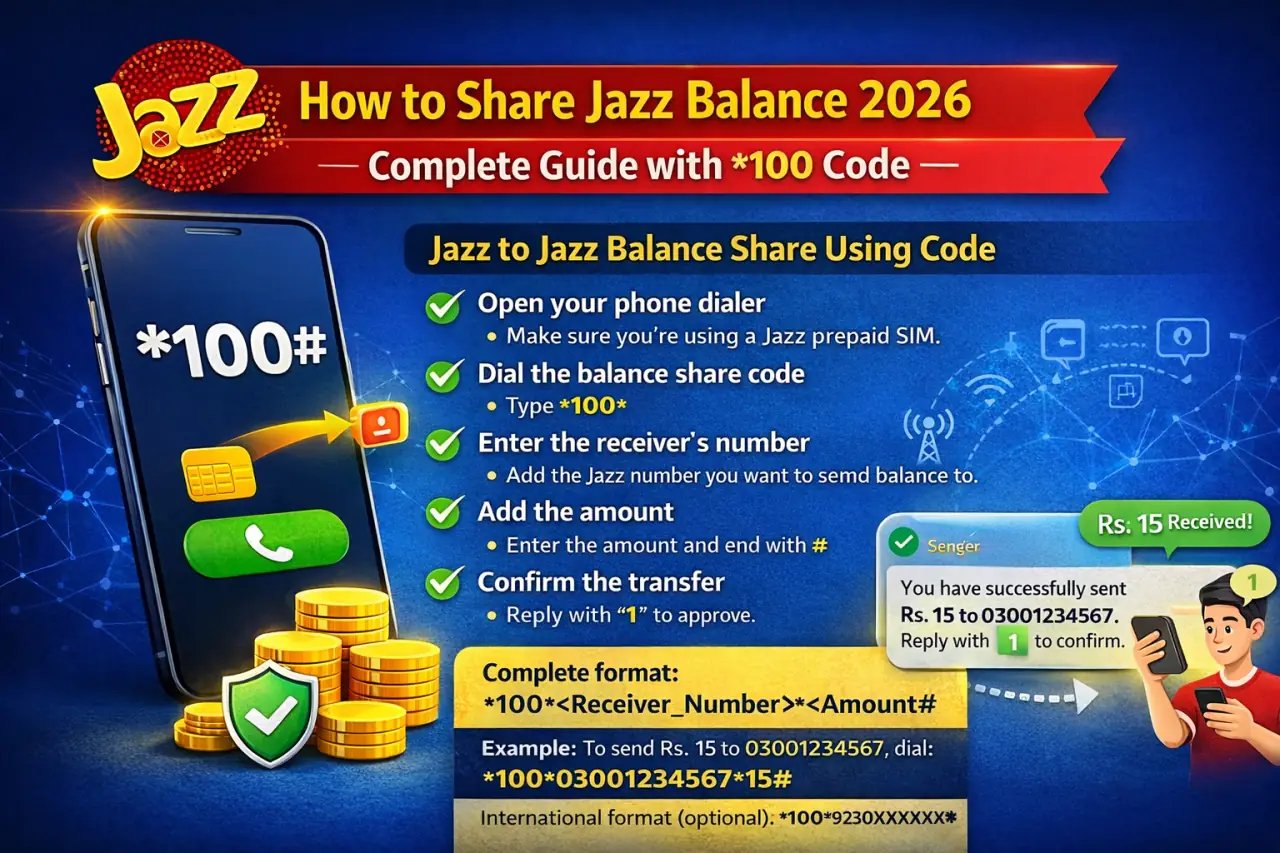
Sending balance to another Jazz number is quick and straightforward. Jazz Balance Share service allows you to transfer mobile credit instantly through a simple USSD method. Just follow the steps below:
Open your phone dialer: Make sure you’re using a Jazz prepaid SIM.
Dial the balance share code: Type *100*
Enter the receiver’s number: Add the Jazz number you want to send balance to.
Add the amount: Enter the amount and end with #
Complete format: *100*<Receiver_Number>*<Amount>#
Example: To send Rs. 15 to 03001234567, dial: *100*03001234567*15#
Confirm the transfer: You’ll receive a confirmation message. Reply with “1” to approve.
Get confirmation: Both sender and receiver will receive an SMS once the balance is sent.
The transfer is completed within seconds, making it easy to help friends or family stay connected. You can share balance from Rs. 15 up to Rs. 500 per transaction, giving you flexible options for small or higher amounts.
International format (optional): *100*9230XXXXXXXX*Amount#
This Jazz balance sharing feature is a reliable way to support your loved ones whenever they need mobile credit.
Jazz Balance Share Minimum Amount
When transferring Jazz balance, you should know about the minimum and maximum transfer limits and the fees that apply.
Here’s a detailed table showing all the information:
Detail
Amount / Limit
Minimum Transfer Amount
Rs. 15
Maximum Transfer Amount
Rs. 500 per transaction
Maximum Daily Transfer Limit
Rs. 500
Transaction Fee
Rs. 8.60 (incl. tax)
Validity of Transferred Balance
Expires in 3 days
The lowest amount you can transfer through Jazz balance share is Rs. 15, which means sending anything less than this is not allowed. Every successful transfer will deduct a service charge of Rs. 8.60 from your mobile account.
Quick Tip: This service is available only for Jazz prepaid customers. Before transferring credit, dial *111# (charges Rs. 0.12 plus tax) to check your current balance and make sure you have enough credit available.
The credit transfer happens immediately, making it perfect for urgent situations when someone desperately needs mobile credit to make calls or use mobile internet.
Jazz Balance Share Other Information
When using Jazz Share, there are several important points you should keep in mind:
You need to confirm the transfer before it completes.
After dialing the sharing code, your phone will show a confirmation message.
You must respond by typing “1” to finalize the transaction. If you don’t confirm, the transfer won’t go through.
Every transfer charges Rs. 8.60 from the sender’s account, which includes all applicable taxes.
Jazz doesn’t take responsibility if you accidentally send balance to an incorrect number, so always verify the recipient’s mobile number carefully before confirming.
Both people involved in the transfer must be Jazz prepaid customers. This service won’t work with Dongle connections or Data SIM users. The Jazz credit transfer service is built to be simple and secure, with confirmation steps included to stop accidental transfers from happening.
Jazz Balance Share Request
Running short on balance and need assistance? Jazz offers a Balance Request feature to help you out!
When your mobile credit is low, you can ask your friends or family members to send you balance without any cost to you! This feature works great during emergencies.
Follow these steps:
Start by dialing *107# on your Jazz prepaid connection.
A menu will pop up on your screen asking you to enter details.
Type in the Jazz mobile number of the person you want to request credit from, such as 03001234567.
After sending the request, wait for that person to receive your message and transfer balance using the 100 code.
Important Details:
Sending the request costs you nothing as the requester. The person who sends you balance pays the Rs. 8.60 service charge. You’re allowed to send up to 5 balance requests per day to the same person.
This feature ensures you never get stuck without mobile credit during important moments. It’s especially helpful when you’ve run out of balance but urgently need to make calls or access mobile data.
Jazz Balance Service Terms & Conditions
Before using the Jazz credit transfer service, make sure you understand these key terms and conditions:
Both sender and receiver must have Jazz prepaid connections.
The service doesn’t work for special connections like Dongle or Data SIMs.
Any person can receive up to 5 balance share requests within a single day.
The highest amount allowed in one transaction is Rs. 500.
The daily transfer limit also stays at Rs. 500. Service charges of Rs. 8.60 (all taxes included) apply to every transaction.
Jazz has the authority to change or discontinue this service at any time, with prior notice if the Pakistan Telecommunication Authority (PTA) requires it.
General Terms & Conditions of Jazz Balance Service
When using the Jazz credit transfer service, these additional terms apply as well:
These conditions work alongside the general terms you agreed to when activating your SIM.
Jazz can modify prices or stop services with proper advance notice.
All charges include applicable taxes no matter where you’re located in the country.
The SIM card always belongs to Jazz, and customers only receive usage rights.
For questions or complaints, send an email to customercare@jazz.com.pk or dial 111 for support.
If you receive unwanted messages, report them by texting the sender’s number, adding a space, and then the message content to 9000.
To stop unsolicited marketing messages, send “ON” or “SUB” to 3627, which is a free service.
Jazz also shares tax information for different regions:
Advance income tax rate stands at 15% on every recharge. Sales tax in Islamabad is 16%. Sales tax across the rest of Pakistan and AJK is 19.5%. Gilgit-Baltistan has tax exemption.
How to Share Jazz Balance from Jazz Simosa World app
The Jazz Simosa World app doesn’t include a direct balance sharing option, but you can still manage your balance and mobile packages through it. This official Jazz customer app provides various services.
Here’s how to use the Jazz Simosa World app for related tasks:
Download the Jazz World application from Play Store or App Store and install it on your phone.
Register using your Jazz mobile number. Open the app and log in with your credentials.
Go to the “Balance” section where you can view your current mobile credit.
You can also use the app to recharge your account and handle your active packages.
Even though the app doesn’t support direct Jazz balance transfers, it remains a valuable tool for account management and checking your usage details. For transferring balance, stick with the 100 USSD code method.
How to Share Jazz Balance to JazzCash Account Online
You cannot transfer Jazz balance directly to a JazzCash account in the traditional way. However, alternative methods exist for moving funds from your Jazz mobile account to JazzCash for convenient online transactions.
First, connect your Jazz mobile number with your JazzCash account.
This link makes it easier to transfer funds or add credit to your account.
Once linked, you can move funds between your Jazz account and JazzCash.
While direct balance sharing isn’t available, you can make payments or complete financial transactions using JazzCash linked to your mobile number.
After setting up JazzCash, you can use it for online shopping, bill payments, or sending money to other people.
While you cannot directly share Jazz mobile balance, setting up JazzCash enables smooth transfers and easy fund management.
As another option, use the JazzCash mobile application:
Launch the JazzCash app on your phone.
Sign in to your account using your credentials.
Tap the “Load Money” option on the screen. Look for “From Jazz Balance” if this option appears.
Type in the amount you want to transfer and confirm your action.
JazzCash operates as a separate service, ideal for bigger money transfers, and lets you convert mobile balance into JazzCash funds. You can then use these funds for different transactions including bill payments, money transfers, and online purchases.
How Can I Share My Jazz Data Package?
Jazz doesn’t allow you to share data packages (MBs or GBs) directly with other users. However, you have these alternatives:
Transfer balance using the 100 code so the recipient can purchase their own data bundle.
Use the Jazz World app to gift a data plan by subscribing to it for another Jazz number.
If you’re near the person, share your phone’s internet connection using the mobile hotspot feature.
To gift a package through the app:
Open your Jazz World application. Choose “Packages” from the menu and pick a data bundle. Enter the recipient’s mobile number and confirm your selection.
If Jazz adds a data sharing feature later, the method would likely work similarly to the current Jazz balance transfer system.
All SIM Balance Transfer Codes
Other mobile networks in Pakistan, including Zong, Ufone, and Telenor, also provide balance sharing features. Here’s a table showing 2026 codes and information:
Network
Balance Share Code
Minimum Amount
Maximum Amount
Transaction Fee
Daily Limit
Jazz
*100*Number*Amt#
Rs. 15
Rs. 500
Rs. 8.60 (incl. tax)
Rs. 500
Zong
*828# (Follow Prompts)
Rs. 15
Rs. 500
Rs. 4 (incl. tax)
Rs. 500
Ufone
*828*Number*Amt#
Rs. 10
Rs. 600
Rs. 4.78 (incl. tax)
Rs. 600
Telenor
*1*1*923xx*Amt#
Rs. 20
Rs. 200
Rs. 7 (incl. tax)
Rs. 200
Warid
*100*Number*Amt#
Rs. 15
Rs. 500
Rs. 8.60 (incl. tax)
Rs. 500
Note: Transferred balance typically expires within 3 days and is valid for local calls and SMS only. Always double-check the recipient’s number to prevent mistakes.
Keep in mind that for all networks, both sender and receiver need to be prepaid customers on the same network to use balance sharing services.
How to Transfer Balance from Jazz to Zong
You cannot share balance from Jazz to other networks like Zong.
Balance sharing works only between Jazz-to-Jazz prepaid numbers.
Unfortunately, direct cross-network credit transfers from Jazz to Zong aren’t supported by any mobile operator in Pakistan right now.
The Jazz balance share feature functions exclusively between Jazz mobile numbers.
However, some workarounds exist:
Send money through JazzCash or EasyPaisa to their mobile wallet or bank account so they can recharge their number.
Use online recharge platforms like EasyLoad that let you top up any network using your bank account or credit card.
Purchase a physical top-up card or visit a retailer who can recharge their number directly.
Jazz Balance Share Code to Ufone
Just like with Zong, direct balance transfers from Jazz to Ufone aren’t supported. The Jazz balance share system functions only between Jazz mobile numbers.
If you want to help someone using a Ufone number, try these alternatives:
Use mobile financial services like JazzCash or EasyPaisa to send money to their account, which they can withdraw for recharging.
Several websites and mobile apps offer cross-network recharges using bank cards or online banking.
Buy a Ufone load card or go to a local retailer who can handle the recharge for you.
Jazz Balance Share Code to Telenor
Similar to other cross-network transfers, direct balance sharing from Jazz to Telenor isn’t possible. The Jazz balance share service is limited to transfers between Jazz customers only.
To help someone with a Telenor number, consider these options:
Send money through mobile wallets like JazzCash, which they can withdraw and use for recharging their Telenor connection.
Use online platforms that support recharges for multiple networks.
Purchase Telenor credit from a retailer on behalf of the other person.
Extra Tips for Jazz Balance Management
Get the most out of your Jazz experience with these helpful tips:
Keep track of your balance by dialing *111# to stay informed about your current credit.
Use the Jazz World app to manage your usage, recharge your account, and discover special offers.
Turn on balance save mode by dialing *275# to prevent unwanted data charges (turn it off with 2754#).
Look into different bundles for calls, SMS, or data packages to save money. Set up auto-recharge through the Jazz World app to automatically top up your account.
Monitor your data consumption by dialing *176#.
Subscribe to balance notification alerts to get warnings when your balance gets low.
Following these simple habits makes balance management effortless and cost-effective, keeping you connected at all times while maximizing your Jazz service benefits.
Conclusion
Jazz balance sharing provides a helpful way to assist friends and family in staying connected. Using a simple code format (100Number*Amount#), you can transfer anywhere from Rs. 15 to Rs. 500 to any Jazz mobile number. Remember that each transaction includes a service charge of Rs. 8.60.
Whether you’re assisting someone who needs help or splitting mobile expenses, sending Jazz balance has become incredibly simple. Stay connected with the people you care about and take full advantage of Jazz’s smooth balance-sharing features!
FAQs
How to share balance with code?
To share balance, dial 100 followed by the recipient’s mobile number, then add the amount and press the hash key. For example, type 10003001234567*50# and press call. You’ll get a confirmation message asking you to reply with “1” to complete the transfer. Each transaction charges Rs. 8.60 as a service fee.
Can I transfer my SIM balance to another number?
Yes, you can transfer your balance to another Jazz prepaid number by using the 100 code method. However, transferring balance across different networks isn’t possible with this service.
How to check Jazz balance code?
To check your current Jazz balance, simply dial *111# from your Jazz connection. This service costs Rs. 0.12 plus applicable tax per inquiry.
What is Jazz code 100?
Code 100 is the USSD code that Jazz prepaid customers use to share balance with other Jazz users. The complete format is 100Number*Amount# where you replace Number with the recipient’s mobile number and Amount with how much you want to send.
What is the minimum Jazz load share?
The minimum amount you can share per transaction is Rs. 15. You cannot send any amount lower than this through the Jazz balance share service.
Can we send balance to JazzCash?
No, you cannot directly send mobile balance to a JazzCash account. Instead, use JazzCash’s “Send Money” feature for mobile wallet or bank transfers.
What’s the maximum balance I can share?
The maximum amount you can transfer in a single transaction is Rs. 500. Your daily transfer limit also remains at Rs. 500.
Is requesting balance free?
Yes, requesting balance using *107# is completely free for the person making the request. The person who sends the balance pays the Rs. 8.60 service charge.
Can postpaid users share balance?
No, this service works only for Jazz prepaid customers. Postpaid users cannot use the balance sharing feature.
How long does shared balance last?
Transferred balance expires after 3 days. The shared credit is valid only for local calls and SMS during this period.
Can I share balance via Jazz World?
No, the Jazz World app doesn’t support balance sharing. You must use the 100 USSD code to share balance. The app is useful for managing your balance and mobile packages.
What if I share to the wrong number?
Jazz doesn’t accept responsibility for transfers made to incorrect numbers. Always carefully verify the recipient’s mobile number before confirming your transaction.
How many balance requests can I send?
You can send up to 5 balance requests daily to the same person using the *107# code.
Can I share Jazz data directly?
No, Jazz doesn’t allow direct data sharing. However, you can share balance so the recipient buys their own data, or you can gift data packages through the Jazz World app.
How do I contact Jazz support?
For support, send an email to customercare@jazz.com.pk or dial 111 from your Jazz number to speak with customer service.
Will I receive a confirmation after sharing balance?
Yes, both the sender and receiver will receive SMS confirmation messages once the balance transfer completes successfully.
Can I cancel a balance transfer after it’s confirmed?
No, once you confirm the transaction by replying with “1”, you cannot reverse or cancel it.
Is there a charge for checking my balance?
Yes, checking your balance using *111# costs Rs. 0.12 plus applicable tax each time you check.
Can I share balance with a Warid number?
Yes, since Jazz and Warid networks merged together, you can use the same 100 code to share balance with Warid numbers.
Do I need to activate any service to share balance?
No, all Jazz prepaid customers can use the balance sharing feature automatically. No activation is required.
If your Jazz balance keeps reducing because of background internet or ended bundles, the Jazz Balance Save Code 2026 can help you fix this problem. This guide explains how to turn on, turn off, and control Jazz Balance Saver and the Doosra Balance Service in a clear way. Every step is simple and easy to follow, so you can avoid confusion and protect your balance.
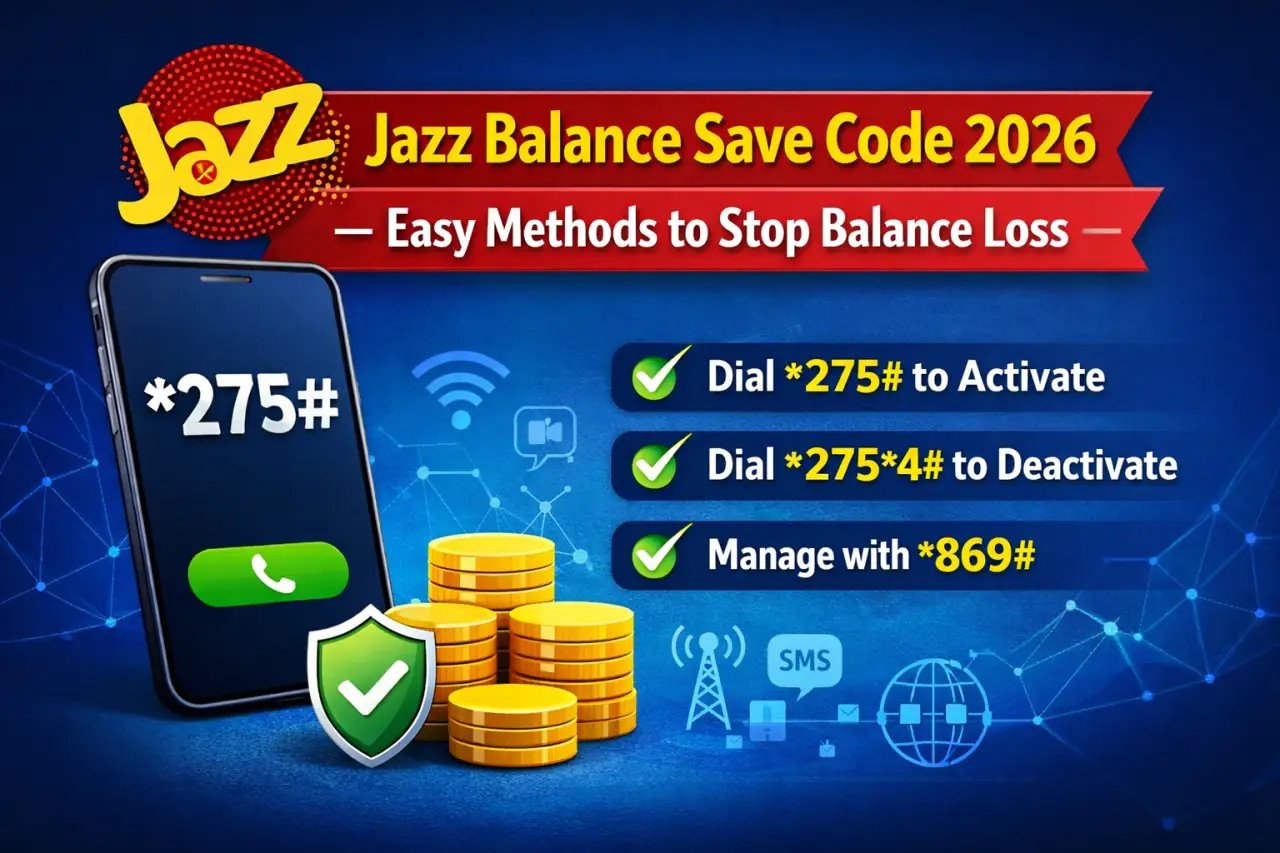
In 2026, managing your Jazz balance is very easy if you use the right codes. Just follow these simple actions:
Dial *275# to enable the Jazz Balance Save Code on your SIM.
Use *869# to check or manage your Doosra Balance.
Turn off any service anytime if you no longer want it.
Keep an eye on your SIM usage by checking bundles and services often. You can use the Jazz World App or USSD codes to stop unwanted balance charges and keep your balance safe.
Activate Jazz Balance Save via USSD Code (*275#)
The simplest way to secure your Jazz balance is to activate Jazz Balance Saver. This free option stops balance use when your internet package ends or when no data bundle is active.
How to Activate: Open the phone dial pad. Dial *275# and press the call button.
After activation, you will receive an SMS that says: “Jazz Balance Saver lag gayi hai… Data bundle lagaen ya 2754# mila k service khatam karen.”
This message confirms the service is active. Your balance will no longer reduce due to background internet use.
Note: If this service is already active on your number, you will get this message: “Balance Saver offer aap ke number par pehle se lagi hui hai.”
Deactivate Jazz Balance Save via USSD Code (*2754#)
If you want to allow balance usage without limits, you can turn off the Balance Saver easily.
How to Deactivate: Open the dialer on your phone. Dial 2754# and press call.
You will get an SMS saying: “Jazz Balance Saver aap ke number se khatam kar di gayi hai.”
This confirms the service is now off. Remember, if you use internet without a data bundle, charges will be taken from your main balance.
Utilize the Jazz Doosra Balance Service (*869#)
For extra safety, you can use the Jazz Doosra Balance Service. This service works like a separate wallet where you can move part of your balance to keep it safe.
How to Use: Dial *869# from your Jazz SIM.
Select Option 1 to move balance into Doosra Balance.
Enter the amount you want to transfer, such as Rs. 50.
Confirm the request.
You will receive an SMS like this: “Rs.100 aap ke main account se Doosra balance mein transfer ho gaya.”
Each transfer has a fee of Rs. 5 plus tax.
Withdraw Money from Doosra Balance
If you want to move the saved amount back to your main balance, follow these steps.
Steps: Dial *869# again.
Choose Option 2 to withdraw balance.
Confirm your choice.
You will get an SMS saying: “Rs.100 aap ke Doosra balance se main account mein transfer ho gaya.”
A fee of Rs. 1 plus tax is applied for each withdrawal.
Deactivate Jazz Doosra Balance Service (*869#)
You can stop the Doosra Balance Service whenever you want.
How to Deactivate via Menu Dial *869# and press call.
Select Option 3 – Service khatam karen.
Reply with 1 to confirm.
You will receive this message: “Aap ki darkhwast pe amal kia ja raha hai…”
Any remaining Doosra Balance will move back to your main balance, and Rs. 1 plus tax will be charged.
How to Deactivate via Direct Code Dial
For a faster method, simply dial 8693#.
This will remove the Doosra Balance Service right away, and your SIM will return to normal usage.
Summary of Jazz Balance Saver & Doosra Balance Codes
Service
USSD Code
Description
Activate Jazz Balance Saver
*275#
Stops data charges without an active bundle
Deactivate Jazz Balance Saver
*275*4#
Allows normal balance use for internet
Access Doosra Balance Menu
*869#
Move, withdraw, or stop secret balance service
Check Main Balance
*111#
Shows your available main account balance
View Active Subscriptions
*661#
Displays all active services on your SIM
JazzCash Mobile Banking
*786#
Send money, pay bills, or save money
Jazz Balance Save Code vs. Doosra Balance – Which Is Better?
Feature
*275# (Balance Saver)
*869# (Doosra Balance)
Blocks internet charges
Yes
No
Stores extra balance
No
Yes
Manual transfer needed
No
Yes
Simple to use
Very easy
Moderate
Deactivation Code
*275*4#
*869*3#
You can use both services together for better balance safety. Activate *275# to block data charges and use *869# to store balance separately.
Use Jazz Simosa World App for Balance Save
The Jazz Simosa World App helps manage services, but sometimes it may reduce balance in the background. You can avoid this by following these steps:
Check Active Services by opening the app and reviewing running services.
Turn off auto-renew options for any bundle or service. Remove the app if you do not use it often. Block mobile data access for the app from phone settings.
These steps help stop hidden charges, especially when mobile data is on.
How to Save Jazz Balance While Using Internet
Many users lose balance while using mobile data without knowing. You can stop this by following these simple steps:
Activate Jazz Balance Save Code Dial *275# from your Jazz SIM to block background data charges.
Subscribe to a Data Package Always activate a daily, weekly, or monthly internet bundle before using data.
Turn Off Background Data Disable background data for apps like WhatsApp, Instagram, and Facebook from phone settings.
Use Data Saver Mode Enable data saver on your phone to reduce data use.
Block Third-Party Services Send “unsub” to 6611 to remove unknown services.
Control App Access Restrict internet access for apps you do not use often.
Avoid Internet Without a Package Even small data use without a bundle can reduce balance quickly. Always check bundle status first.
By following these steps, you can stop Jazz balance deduction and use internet without worry.
How to Check Balance (Main + Doosra Account)
Checking both balances helps you avoid surprises.
Main Balance Dial *111# from your Jazz number. You can also check using the Jazz World App.
Doosra Balance Dial *869#. Select the option to view Doosra Balance from the menu.
Regular checks help you stay aware of your available balance.
How to Save Jazz Balance Postpaid Offer
For Jazz Postpaid users, balance saving works in a different way. Since postpaid SIMs have monthly bills, you can still manage usage to avoid extra charges.
1. Choose the Right Package Select a postpaid plan that matches your calling, SMS, and data needs.
2. Monitor Usage Regularly Use the Jazz World App or dial *2222# to track usage.
3. Turn Off Background Data Limit background data for apps that are not important.
4. Subscribe to Add-Ons Before Limit Ends Activate add-ons if your limit is about to finish.
5. Disable Unwanted Services Remove premium SMS or extra services by calling 111 or using the app.
These steps help control postpaid usage and reduce extra charges.
What Is the Jazz Balance Save Code?
The Jazz Balance Save Code helps stop balance loss when mobile data is turned on without a bundle. This USSD code blocks background internet use and protects your balance from silent deductions.
Many users lose balance when apps use data without notice. This service keeps your balance safe and gives peace of mind.
If you forget to activate bundles often or want to secure balance, this code is a simple and fast option.
Why Does Jazz Balance Get Deducted?
Here are the main reasons why Jazz balance reduces:
Apps use internet in the background.
Internet use without a bundle costs more.
Third-party services may activate without notice.
Apps like Jazz Simosa World may use balance quietly.
These deductions happen without alerts, which is why many users look for ways to stop balance loss.
Common Issues and Quick Fixes
1. Balance Still Deducting After Activation? Check that *275# was dialed correctly. Restart your phone after activation. Turn off background data for unused apps.
2. Code Not Working? Wait a few minutes and try again. Make sure your SIM is prepaid. If the issue continues, call Jazz Helpline 111.
Tips for Long-Term Balance Management
Check active services using *111# or the Jazz World App.
Use Wi-Fi when available to save mobile data.
Set data alerts from phone settings.
Always subscribe to internet bundles instead of pay-as-you-go rates.
What is the Jazz full balance offer code?
Dial *408# to activate the Jazz Full Balance Offer. This offer gives you the full recharge amount in your account without deduction.
What is a Jazz balance saver?
Jazz Balance Saver is a free service that protects balance when mobile data is used without a bundle. Activate it by dialing *275# to stop background data charges.
What is Jazz zero balance?
Jazz Zero Balance allows access to emergency services even with no balance. You can still use emergency loan options and activate balance save services.
What is the minimum balance load in Jazz?
The minimum Jazz load is usually Rs. 10 through Easyload. Scratch cards start from Rs. 100. Small amounts can be added using Easyload or digital wallets.
Final Words
With the Jazz Balance Save Code 2026, protecting your balance is very simple. Whether you use *275#, *869#, or manage services through the Jazz Simosa World App, you can stop unwanted deductions and keep your balance safe.
FAQS
How can I save Jazz balance from automatic deduction?
Dial *275# to activate Jazz Balance Saver. It blocks background internet charges without a bundle.
What is Jazz Doosra Balance code?
Dial *869# to open the Doosra Balance menu and move balance to a safe account.
How can I deactivate Jazz Balance Saver?
Dial 2754# to turn off the Balance Saver service.
How do I check my Jazz Doosra Balance?
Dial *869# and choose the balance check option from the menu.
What is the benefit of Jazz Doosra Balance?
It keeps balance safe from background app usage and unwanted charges.
Can I use both 275# and 869# together?
Yes, using both helps block data charges and store balance separately.
Why is my Jazz balance still deducting?
You may not have activated *275#. Also, turn off background data and check services via *661#.
What apps deduct Jazz balance silently?
Apps like Jazz Simosa World and social apps may use data in the background. Block their internet or remove them.
How to withdraw balance from Jazz Doosra Balance?
Dial *869#, select withdraw option, and confirm. A small fee applies.
How to check all active Jazz services?
Dial *661# to view and manage active services on your SIM.
How can I get extra balance in Jazz?
You can use balance advance via *112#. For saving, use *869# Doosra Balance.
How long does Jazz balance last?
Balance expiry depends on usage. Regular SIM use keeps balance active.
How to fill Jazz balance?
Recharge using Jazz Simosa World App, scratch cards, or retailers. Use 123PIN# for scratch cards.
What is the minimum balance for JazzCash?
There is no fixed minimum. Keeping Rs. 1 or more allows JazzCash use.
What is the Jazz helpline code?
Dial 111 from your Jazz number to contact customer support.
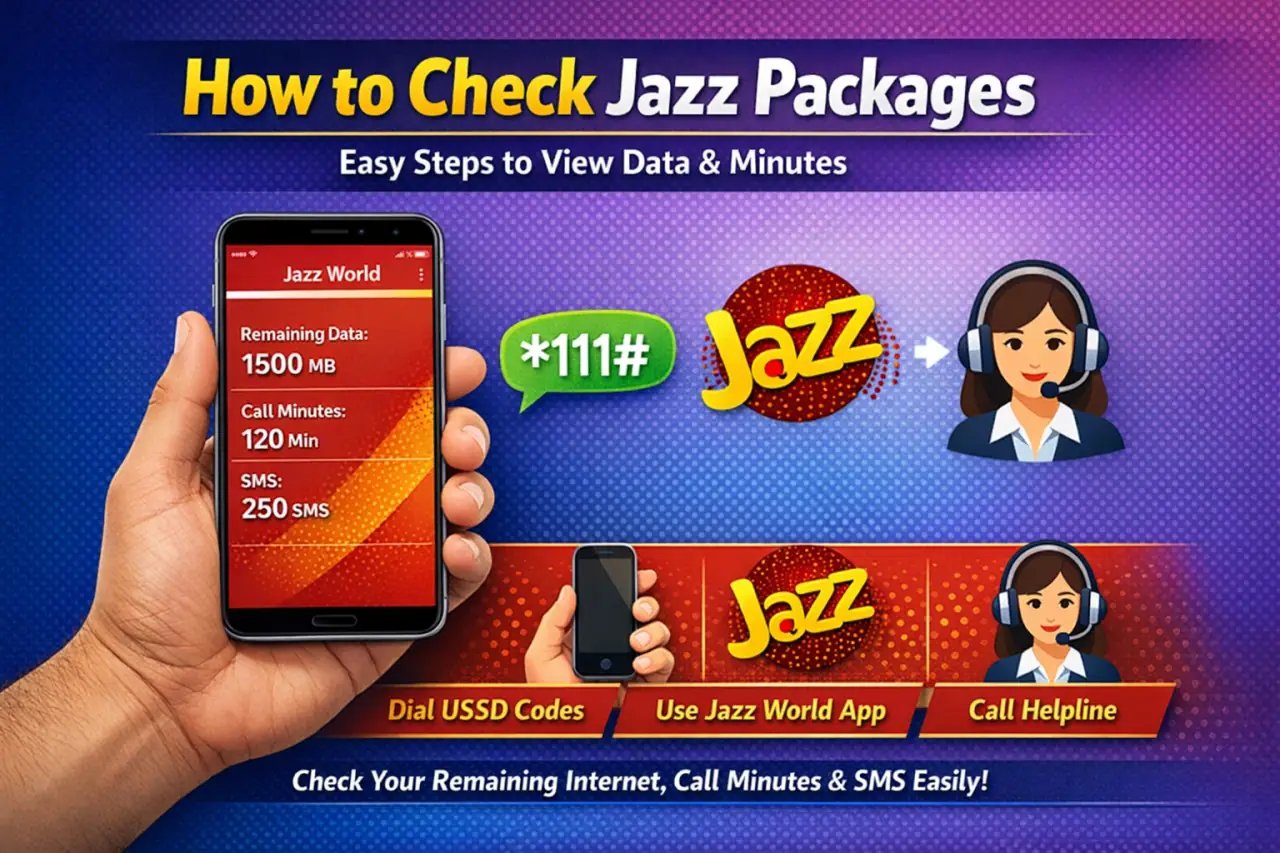
Are you using Jazz and want to know how to view your active bundles? This easy-to-follow guide will show you different ways to check your Jazz packages and see what’s left in your internet, calls, and messages. These simple methods help you stay updated on your account and manage your resources better.
Check Jazz Packages via Jazz SIMOSA World App
Follow These Steps:
Get the SIMOSA – Jazz World App by visiting Google Play Store or Apple App Store and installing it on your phone.
Log into the app using your Jazz mobile number.
After signing in, the app displays:
Your active bundles that run daily, weekly, or monthly
How many MBs, call minutes, and SMS you still have
When each bundle will expire
You can also recharge or control your offers right inside the app.
Check Jazz Packages via USSD Codes
Easy Instructions:
Press *443# on your phone to get a full list of what bundles you currently have.
An SMS will arrive showing the name and status of each active offer on your SIM.
Check Remaining Internet MBs
Want to know how much internet is still available on your SIM?
Press *1174# on your dial pad
An SMS will tell you exactly how much data you have left to use.
Check Remaining Minutes
Looking to see how many calling minutes are available for Jazz users and other networks?
Press *110# and send
You’ll get a text message with complete information about your call balance.
Check Remaining SMS
Want to find out how many free text messages you can still send?
Press *1012# from your phone
A message will show up telling you your current SMS balance.
Check Jazz Monthly Package Remaining via USSD Codes
Here you’ll find a full breakdown of Jazz monthly offers with their individual checking codes. Use these codes to quickly view how much internet, calling time, and text messages remain in your monthly bundle. Staying informed about what you’ve used keeps you from running low when you need it most.
Package Name
Status Code
Type
*699# Mera Package
*699*2#
Prepaid
Monthly WhatsApp Offer
*987*2#
Prepaid
Monthly Bachat Offer
*614*2#
Prepaid
Monthly YouTube & Social
*620*2#
Prepaid
Super Mahana Offer
*529*2#
Prepaid
Monthly Max Offer
*708*2#
Prepaid
Monthly Freedom Package
*733*2#
Prepaid
Monthly X Offer
*7733*2#
Prepaid
Gold Basic (Postpaid)
*777*2#
Postpaid
All-In-One Mega
*446*2*1*2#
Postpaid
Jazz Sim Lagao Offer
*551*2#
Pre/Post
Check Jazz Weekly Package Remaining via USSD Codes
This section shows all Jazz weekly offers along with the name of each plan and its checking code. These codes let you see your leftover MBs, minutes, and SMS for the entire week. Checking often prevents sudden service stops and keeps you online without losing access to your bundle.
Package Name
Status Code
Type
Boltay Jao Offer
*190*2#
Prepaid
Haftawaar All Rounder
*747*2#
Prepaid
Super Woman Bundle
*117*14*2#
Prepaid
Lajawab Haftawar
*565*2#
Prepaid
Sindh Haftawar
*406*2#
Prepaid
Weekly Premium Plus
*117*47*2#
Prepaid
Weekly Freedom
*737*2#
Prepaid
Weekly X
*7737*2#
Prepaid
Weekly X Plus
*852*2#
Prepaid
Super Sim Offer
*476*2#
Prepaid
Check Jazz Daily Package Remaining via USSD Codes
Below, you’ll see every Jazz daily offer listed with its name and the code to check what’s remaining. This quick process lets you track your usage each day and know exactly how much data, calling time, and messages you have. Frequent monitoring helps you use your resources wisely and prevents unexpected fees.
Package Name
Status Code
Type
Punjab Daily Offer
*6000*2#
Prepaid
Sindh Daily Offer
*522*2#
Prepaid
3 Day-Max Offer
*631*2#
Prepaid
Give-a-Bundle
*919*2#
Prepaid
Jazz Apna Shehar Offer
*229*2#
Prepaid
Karachi Daily Hybrid Offer
*400*2#
Prepaid
Jazz Daily Super Offer
*212*2#
Prepaid
Check Jazz Packages via SMS
Simple Procedures:
Compose a text message containing the bundle name or your specific question and send it to the relevant service number.
As an example, if you want to view remaining data or bundle information, text specific words to #114# or similar numbers depending on your subscription.
A reply message will arrive with all your package information.
Check Jazz Packages via Customer Care (Helpline)
Quick Directions:
Dial 111 to reach Jazz customer support.
Talk to a representative who can tell you about your active offers, available MBs, minutes, or SMS.
Check Jazz Packages via the Jazz Website
Step-by-Step Information:
Go to the official Jazz website online.
Sign in with your Jazz number if required, or find the area that displays package and balance information.
You can browse available offers and review what’s active on your account along with remaining resources.
What is the Jazz package Status code?
The Jazz package status code is a quick dial code that lets you see everything about your active bundles, such as available data, minutes, and messages. When you dial these special codes, your usage details appear right away without needing to open an app or visit a website.
Why It’s Important to Check Jazz Packages, Remaining MBs, Minutes & SMS
Keeping an eye on your Jazz bundles, available MBs, minutes, and SMS is very important for managing your mobile account properly. Here’s why it matters:
Prevent Unexpected Fees: Watching your usage stops you from paying extra surprise charges.
Pick the Right Bundle: Make sure the offer you’re using fits what you actually need.
Never Lose Connection: Know the right time to reload your data, minutes, or SMS so you stay online.
Control Your Spending: Track what you spend on mobile services and manage your money better.
FAQS
How can I check my Jazz package details?
You can view your active Jazz bundles by pressing *443# from your phone. An SMS will arrive with bundle names, their current status, and when they end. The Jazz World app also displays everything clearly.
How can I check my Jazz remaining package?
Press the checking code that matches your bundle or launch the Jazz World app. Both methods display what’s left in your data, minutes, and SMS quickly.
How do I check my Jazz package status?
To see your current bundle status, press *443# on your keypad. This reveals all active offers and how long they will last.
How can I check my Jazz call package details?
Press *443# to receive a list showing your active calling bundles and their status. An SMS arrives with the bundle information and validity period.
How can I check my Jazz minutes and data?
Press *110# to view your available call minutes. For internet data, press 1174#. Both codes send you an SMS with exact usage details.
How do I check my internet remaining data?
Press 1174# using your Jazz SIM card. Your internet balance arrives via SMS. You can also open the Jazz World app for a complete breakdown.
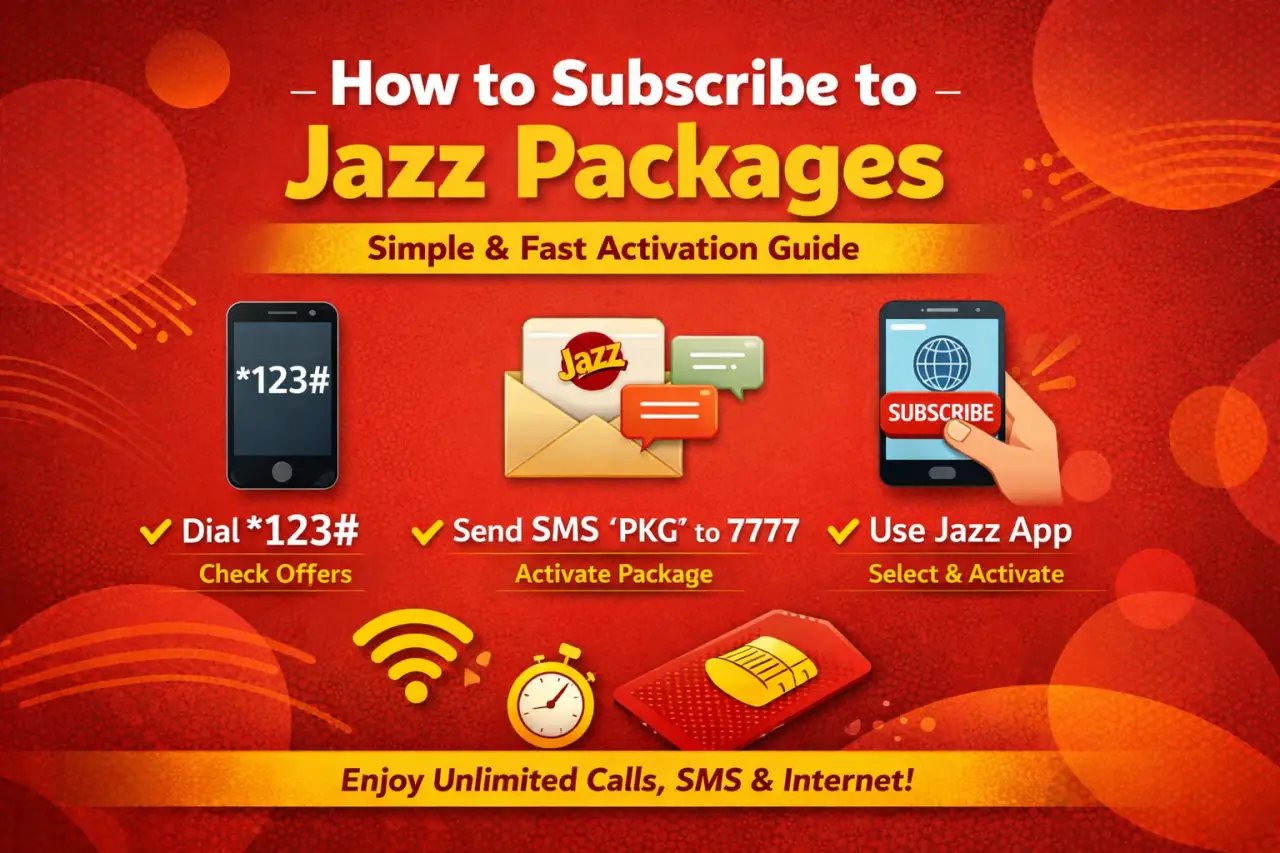
Looking for a way to get Jazz bundles for calling, texting, or browsing? You’ve found the perfect guide! Jazz brings you affordable options that work on a daily, weekly, or monthly basis. We’ll show you the easiest methods to activate these offers. If you need to know how to subscribe to a Jazz packages, keep reading for all the details.
1. Pick the Right Package for You
Jazz brings bundles that match everyone’s requirements:
✅ Daily Packages – Ideal when you need coverage for just one day.
✅ Weekly Packages – Smart choice for affordable seven-day usage.
✅ Monthly Packages – Top option for continuous calling, messaging, and browsing throughout the month.
Where to Find Jazz Packages?
Check the Jazz Website to see current promotions.
Get the Jazz Simosa World App from Play Store or App Store.
Press *444# to view bundle information instantly.
2. Check Your Balance First
Make sure your account has sufficient credit before you activate any bundle.
Press *111# to see your current balance.
Check Jazz Balance Press 111 and tap the call button
Open Jazz World App for a quick balance review.
SIMOSA Jazz World dashboard check your balance packages call minute internet data SMS
Add credit through JazzCash, Easypaisa, or scratch cards when necessary.
3. Subscribe to a Jazz Package (Most Popular Options)
Package Name
Type
On-Net Mins
Off-Net Mins
SMS
MBs (Data)
Validity
Price (Incl. Tax)
Handset Insurance
Subscribe Code
Mera Package, Meri Superpower
Prepaid
1000
–
–
1GB FB (Option to upgrade)
30 Days
Rs. 100
–
*699#
Monthly Super Duper Package
Prepaid
3000
300
3000
10 GB
30 Days
Rs. 1,199
–
*706#
Want more choices? Go to the Jazz Website or press *444#.
4. Confirm Your Subscription
Once you press the activation code, a confirmation text will arrive showing: ✅ Bundle information ✅ When it ends ✅ Credit left in your account
Want to see how much data, calling time, or messages you have left? Just press *111# or open the Jazz World App.
subscribe to a jazz packages online
✅ Via Jazz World App
Launch the app and sign in.
Look through available bundles and turn on your selection.
open Jazz SIMOSA App and click packages see overall package
Other Easy Ways to Subscribe
✅ Call Jazz Customer Service
Press 111 and request activation help.
Subscription Method
Details
Best For
USSD Code
Press the bundle-specific code (example: *706# for Monthly Super Duper Package).
People without internet connection or those wanting fast, simple activation.
Jazz Simosa World App
Sign in, explore bundles, and turn on your preferred choice.
Smartphone owners who like handling services using an app.
Jazz Website
Go to the official Jazz site to view and turn on bundles.
People who like working through a web browser for service control.
Customer Service
Press 111 and ask a Jazz agent to activate your package.
People who want personal help or have particular questions.
Final Thoughts
Jazz provides easy and quick ways to activate calling, messaging, and internet bundles. Pick from daily, weekly, or monthly options depending on what works for you. Turn on your bundle effortlessly by pressing a USSD code, using the Jazz Simosa World App, or reaching customer support.
Look at your balance before turning on any bundle to prevent service problems. Open the Jazz World App to monitor your usage and find special deals that help you save more.
FAQs
Can I subscribe to multiple Jazz packages at the same time?
You can turn on several Jazz bundles together. But keep in mind that certain bundles might cancel out others, so review the package details before you activate them.
How do I unsubscribe from a Jazz package?
To cancel a Jazz bundle, press the specific deactivation code for that bundle (when available) or open the Jazz World App to handle your active bundles. Another option is calling Jazz customer support at 111 for assistance.
Can I subscribe to multiple Jazz packages at the same time?
You can activate more than one bundle at once. However, certain bundles may override others, so always review the information before activating.
How do I unsubscribe from a Jazz package?
Press the cancellation code for your bundle or open the Jazz World App to stop it. Another way is calling 111 for support.
What happens if I run out of minutes, SMS, or data before my Jazz package expires?
You can purchase another bundle or continue using services at regular Jazz charges. Open the Jazz World App to find booster or extra packages.
Does Jazz automatically renew my package after expiry?
Certain bundles renew on their own when you have sufficient balance. When auto-renewal isn’t offered, you need to activate the bundle again yourself.
Is your Jazz SIM not working for the last 30 days? If that’s the case, we have great news for you! Jazz Sim Lagao Offer allows you to get started by paying only Rs. 0.01 when you dial the code *551#.
This bundle costs almost nothing, so people across Pakistan want quick internet, free calling, and texting services. But expensive rates often make this hard to get. Jazz created this wonderful package for both current users and new ones. The Sim Lagao Offer helps those people whose SIMs stopped working 30 days ago and now they want to start using them again.
You get 8GB internet (which includes 4GB for WhatsApp and Tamasha), 3000 Jazz call minutes, and 3000 SMS – everything for only Rs. 0.01! This 30-day inactive SIM package from Jazz works great for anyone looking to activate their SIM again while enjoying amazing rewards.
In this article, we will explain everything about this package, the activation method, what you get, and the rules you need to know. Let’s begin!
Jazz Sim Lagao Offer Details
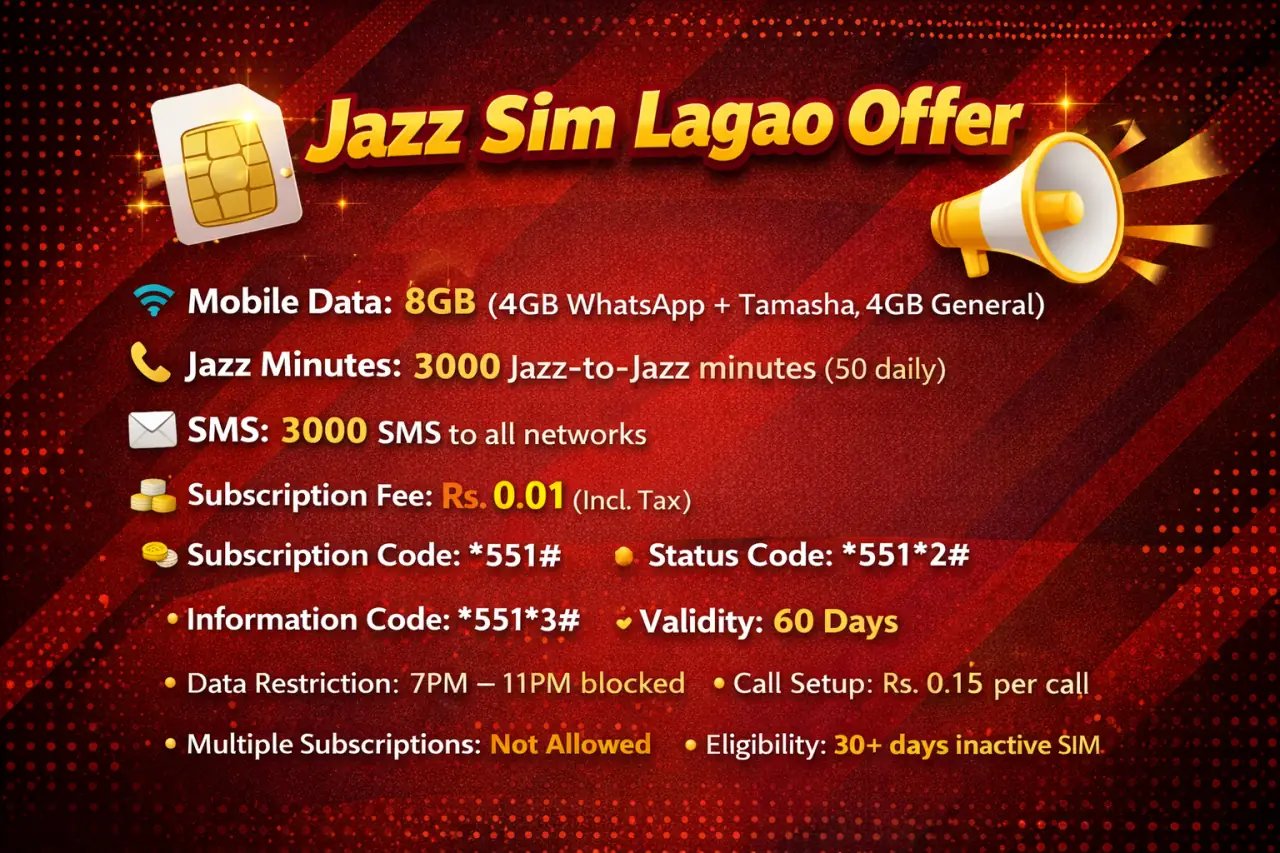
Jazz Sim Lagao Offer
Mobile Data: 8GB (4GB WhatsApp + Tamasha, 4GB General)
Jazz Minutes: 3000 Jazz-to-Jazz minutes (50 daily)
SMS: 3000 SMS to all networks
Subscription Fee: Rs. 0.01 (Incl. Tax)
Subscription Code: *551#
Status Code: *551*2#
Information Code: *551*3#
Validity: 60 Days
Data Restriction: 7PM – 11PM blocked
Call Setup: Rs. 0.15 per call
Multiple Subscriptions: Not Allowed
Eligibility: 30+ days inactive SIM
What is the Jazz Sim Lagao Offer?
The Jazz Sim Lagao Offer works for people who stopped using their Jazz SIM during the last 30 days. This reactivation package gives you wonderful rewards simply for making your SIM active again. Think about receiving 3000 free minutes to call anywhere in Pakistan, 3000 free text messages to send to everyone, and 8GB of free mobile data, where 4GB works for WhatsApp and Tamasha. This package not only brings you back online but gives you amazing value too!
This unique reactivation bundle delivers great benefits at only Rs.0.01 with tax included, which makes it one of the cheapest connection options in Pakistan. The package focuses on users whose SIMs stopped working for 30 days or longer, giving them a great chance to come back to the Jazz network.
Who is eligible for the Jazz Sim Lagao Offer?
To qualify for the Sim Lagao Offer, your situation must match these conditions:
Your Jazz SIM needs to be inactive for 30 continuous days minimum You need to use a prepaid Jazz connection Your SIM cannot have any running bundles or packages right now Both new and current Jazz users can get this offer if they meet the inactive period rule
Jazz’s system checks if you qualify automatically when you dial the code. If your SIM hasn’t been inactive for 30 days, you cannot subscribe to this offer.
Benefits of the Jazz Sim Lagao Offer
The Jazz Sim Lagao brings lots of great benefits that make it a fantastic choice:
Data Benefits:
8GB complete mobile internet data 4GB only for WhatsApp and Tamasha applications 4GB for normal internet browsing Works on 2G/3G/4G networks
Voice Benefits:
3000 Jazz-to-Jazz call minutes 50 minutes available each day Make calls anywhere in Pakistan Normal call connection fees apply
SMS Benefits:
3000 free text messages to all networks Send messages to any mobile company in Pakistan Great for keeping in touch with everyone
Additional Perks:
60 days package validity Very small subscription cost of Rs.0.01 Cannot subscribe multiple times Data bonus given across two months
Jazz Sim Lagao Offer Package Codes
Knowing the various codes for the Jazz Sim Lagao Offer helps you manage your package easily:
Primary Subscription Code: 551# This code activates the Sim Lagao. Just dial *551# from your inactive Jazz SIM to start using this great package.
Status Checking Code: 5512# This code shows your leftover resources like data balance, available call minutes, and SMS count. It helps you watch your usage during the validity time.
Information Code: 5513# Dial this code to receive complete information about the package, like validity dates, rules, and package features.
Package Details Code: 5514# This code gives full package information and helps with solving problems or getting more details about your subscription.
How to Activate the Jazz Sim Lagao Offer?
Activating the Sim Lagao follows an easy process that needs only a few minutes:
Step 1: Check Eligibility Make sure your Jazz SIM stayed inactive for 30 days minimum. The system checks this automatically when you try to subscribe.
Step 2: Insert Your SIM Put your Jazz SIM card inside your mobile phone and make sure you have network signals.
Step 3: Dial the Subscription Code From your Jazz number, dial *551# and press the call button.
Step 4: Follow the Menu You will see a menu on screen. Follow the instructions to confirm your subscription.
Step 5: Confirmation You will get a confirmation text message after the package starts successfully.
Alternative Methods:
Go to the nearest Jazz shop or franchise Try the Jazz World app (if your account allows it) Call Jazz customer service for help
For more complete guidance on package activation ways, look at this full guide on how to subscribe to Jazz packages that explains all choices.
How to Unsubscribe Jazz Sim Lagao Offer
Although the Jazz Sim Lagao gives excellent benefits, you may want to unsubscribe for different reasons:
Important Note: This package has no direct unsubscribe code because multiple subscriptions aren’t allowed and it works as a one-time reactivation package.
Automatic Expiry: The package stops working automatically after 60 days, and you won’t pay again as it doesn’t renew.
Alternative Options:
Wait for normal expiry after 60 days Contact Jazz customer care at 111 Go to Jazz franchise for help Try Jazz World app for account control
Forfeiture Warning: If you somehow stop the offer early, you will lose all leftover benefits like unused data, minutes, and SMS.
Learn more about different cancellation ways in our complete guide about how to unsubscribe Jazz packages for future use.
How to Check Jazz Sim Lagao Offer Remaining Package
Watching your package usage helps you get the most from your Sim Lagao Offer:
Primary Balance Check: 5512# This main code shows all your leftover resources like data, minutes, and SMS.
Alternative Checking Methods:
Dial *443# for general balance check Try Jazz World mobile application Send text message “BAL” to 123 Go to Jazz website and sign into your account
Real-time Monitoring: The Jazz World app shows instant updates on your usage, letting you see usage patterns and plan better.
Different Balance Codes:
*443# – Main balance and package information 4432# – Data balance only 4433# – Voice minutes left 4434# – SMS balance check
For complete details about checking different Jazz package balances, look at our full guide on how to check Jazz packages which explains all checking ways.
Terms & Conditions
Before getting the Jazz Sim Lagao Offer, please read these important rules:
Eligibility Restriction: Only available for users whose Jazz SIM stayed inactive for 30+ days Geographic Limitation: Works across Pakistan but network signals may change by area Validity Details: 60 days validity from subscription date, cannot be extended Usage Conditions: Data won’t work between 7PM to 11PM every day Data Distribution: 2GB + 2GB (WhatsApp/Tamasha) on Day 1, same amount on Day 31 Call Restrictions: Minutes cannot be used between 6PM to 10PM Overage Charges: Rs.1/MB for data use beyond given limit Technical Limitations: Real speeds depend on phone, area, and network traffic Call Setup Charges: Rs.0.15 per call connection fee applies Multiple Subscriptions: Not allowed – one subscription per eligible SIM Holiday Restriction: Not available on Chand Raat and Eid holidays Tax Inclusion: All charges have applicable taxes Base Rate: Rs.5/MB if no bundle works after expiry Carry Forward: Data cannot move to next validity time Auto-Renewal: Package doesn’t renew automatically, one-time subscription only
Conclusion
I think everyone should use this Sim Lagao offer because sometimes we all need to keep our SIM inactive for 30 days. When you activate your number again and begin using it, just dial *551# and get all these benefits.
FAQS
What is the Jazz Sim Lagao Offer?
The Jazz Sim Lagao Offer works as a special reactivation bundle for users whose Jazz SIM stayed inactive for 30+ days. You get 8GB data (4GB for WhatsApp/Tamasha), 3000 Jazz minutes, and 3000 SMS for only Rs.0.01 with 60 days validity.
Can I use data 24/7 with this offer?
No, the data won’t work between 7PM to 11PM every day. This rule is clearly written in the package conditions.
Are there any call setup charges?
Yes, normal call connection charges of Rs.0.15 per call apply when using the free minutes in the package.
How is the 8GB data distributed?
You get 2GB general data + 2GB WhatsApp/Tamasha data on Day 1, and the same amount (2GB + 2GB) on Day 31 of your subscription.
Can postpaid customers avail this offer?
This offer works only for prepaid users. Postpaid users cannot get the Offer.